



Step 01
DXF Upload
The user imports a 2D drawing as the starting plan.


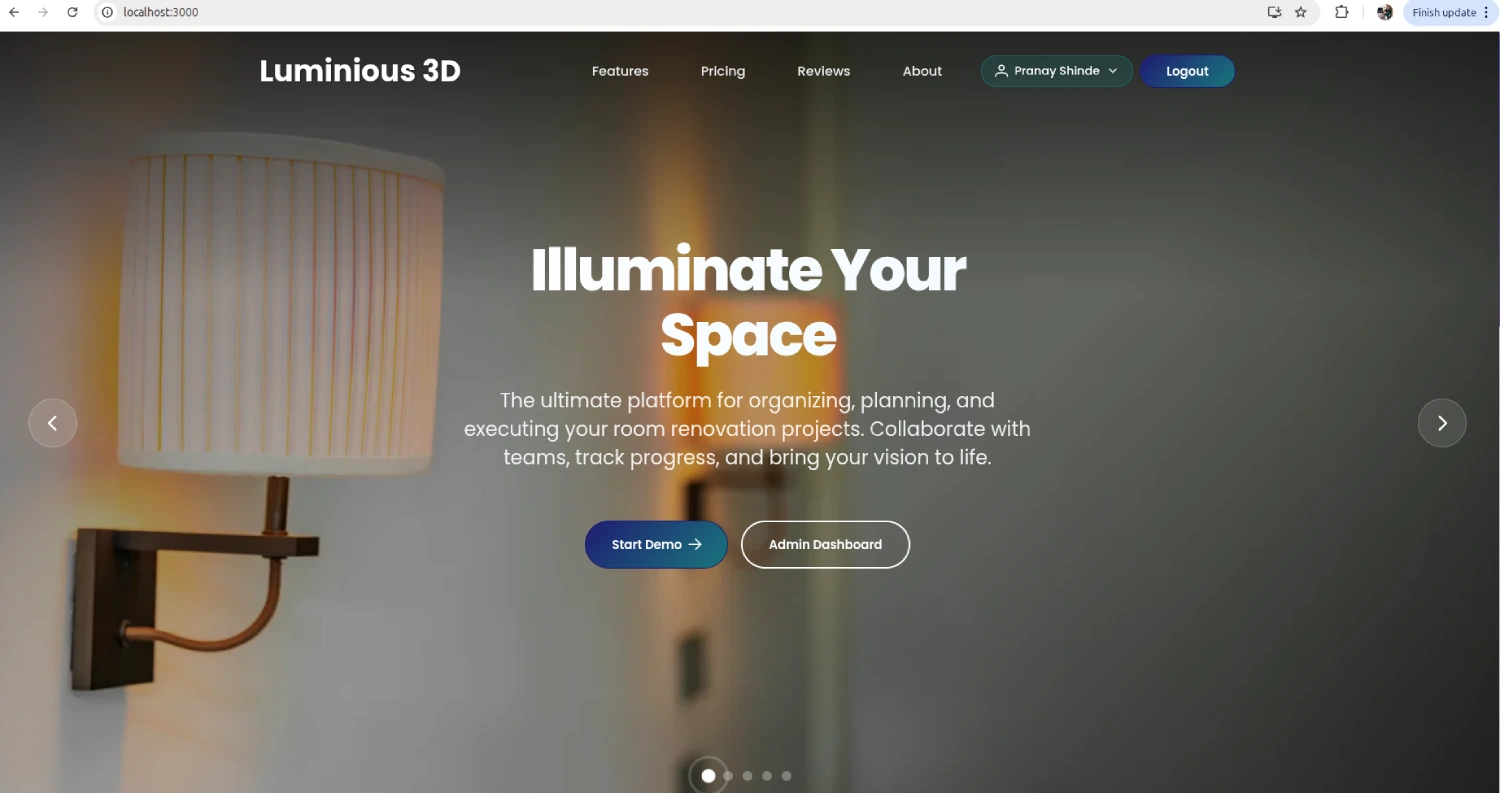
A browser-based platform that turns DXF plans into lighting layouts, photometric analysis, 3D review, reports and an ordering workflow.
D41 World Trading LLP
Lighting design and interior planning technologyD41 World Trading LLP needed a web-based environment that could connect floor-plan input, room understanding, fixture planning, photometric analysis, visual review, reporting and ordering.
The working product is centred on a practical lighting-design sequence. A user uploads a 2D DXF plan, works through detected rooms or scenes, develops a lighting strategy, places and selects fixtures, reviews calculated analysis, checks comfort and failure conditions, validates the design, opens the 3D view and prepares the report and order.
The original objective described a broader platform across lighting, interiors and emerging technologies. This case study covers only the current, evidenced Luminous 3D implementation. Broader AR/VR, IoT, mobile and full interior-design phases are not presented as delivered.
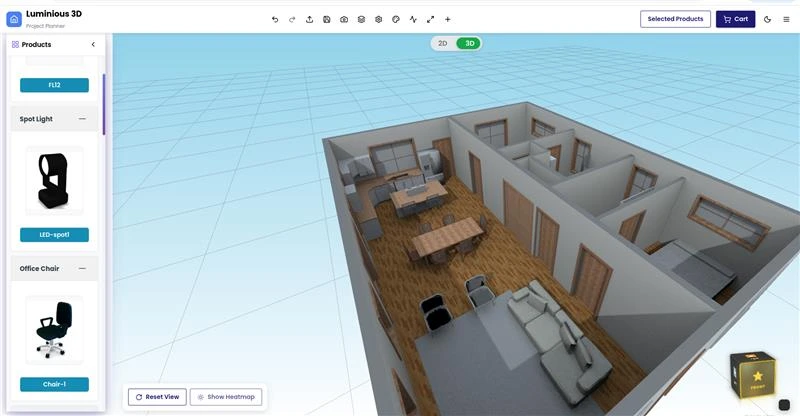
The current Luminous 3D product combines plan import, lighting planning, photometric analysis, 3D visualisation, reporting and order management in one browser-based workflow.
The original project objective was broader than the current lighting platform. Possible future phases may extend the product into adjacent interior-design or connected-environment workflows. These areas are not part of the delivered functionality described on this page.
The current platform workflow follows these steps in this exact order:
The user imports a 2D drawing as the starting plan.
The platform identifies usable room and scene areas from the imported plan.
The user develops the intended lighting approach for the detected spaces.
Fixtures are positioned within the plan.
Suitable fixture options are selected for the design.
The platform calculates and presents lighting-analysis data for review.
Reflected-light behaviour is included in the analysis workflow.
The design is reviewed for visual comfort and glare conditions.
The platform identifies lighting-design conditions that require attention.
The current engine proposes design corrections; fully automated correction is not live.
Wattage and energy-related design information is checked within the platform.
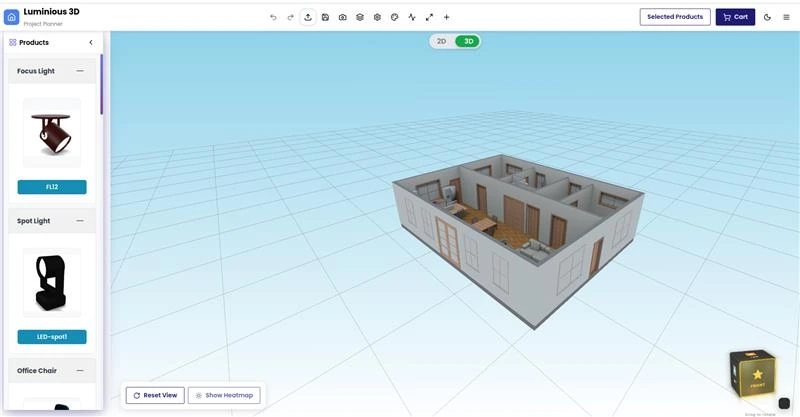
The design is viewed in a browser-based three-dimensional scene.
The user reviews the layout, analysis and visual presentation.
The platform prepares project reporting and AI-generated summaries.
The selected design and products move into the checkout workflow. Checkout is not presented as payment because a payment gateway is not confirmed.
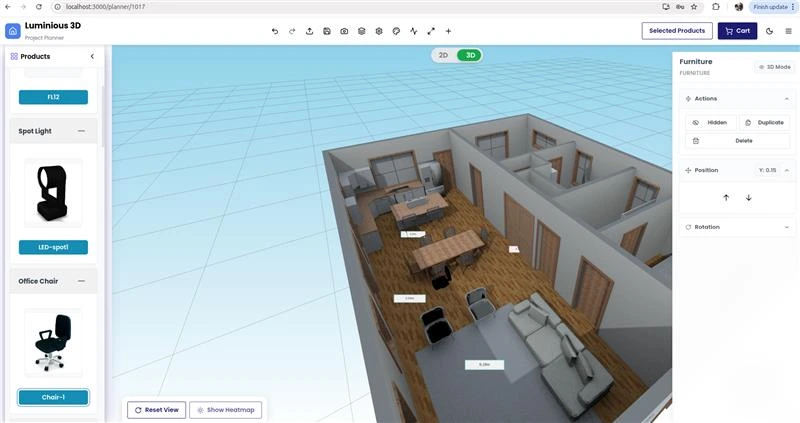
The active product area is the Luminous 3D Planner and Canvas. It begins immediately after DXF upload and brings together the detected plan, room or scene information, fixture controls, analysis layers and 3D review.
Users can work with fixture placement and selection while moving between layout information and visual analysis. Legends, overlays and heatmaps help present the calculated lighting conditions in the interface. The 3D view provides a visual review of the planned space and fixture arrangement.
Current development work is strengthening the connections between the platform’s engines, improving stability and architecture, completing DXF export and extending Design Correction beyond recommendation mode.
The current technical implementation reports 16 engines as implemented and integrated. They support the workflow from scene interpretation and fixture planning to analysis, review and installation information.
Organises detected spaces into usable scenes and zones for lighting planning.
Supports the development of the intended lighting approach for each space.
Supports the positioning of lighting fixtures within the plan.
Analyses fixture coverage and areas where lighting influence overlaps.
Supports the selection of fixtures for the planned scene.
Provides an initial approximation stage within the analysis workflow.
Supports directional-light and ray-based calculation processes.
Includes reflected-light behaviour in the analysis workflow.
Reviews lighting conditions related to visual comfort.
Analyses glare conditions within the planned design.
Identifies lighting-design conditions that need review.
Produces correction proposals. Fully automated correction is not live.
Reviews wattage and energy-related design information.
Supports the presentation of the lighting design within its architectural context.
Supports installation-oriented information connected to the design.
Coordinates rules used across the lighting-planning and analysis workflow.
Luminous 3D includes a custom photometric engine for illuminance, lumen-method calculations, ray tracing, reflection, luminance, wattage, occlusion and transfer calculations. It can parse IES LM-63 data and uses GPU baking as part of the current technical implementation.
The interface presents analysis through legends, overlays and heatmap-style visualisations. These outputs are intended to help users inspect a lighting design alongside the plan and 3D scene.
The platform turns lighting decisions into clear, reviewable outputs that can move a project from planning through approval and order handoff.
Each output stays connected to the same project, helping users review the layout, understand the analysis and prepare the next action without rebuilding information across separate tools.
2D lighting layout showing the plan and fixture arrangement
3D preview for visual review of the designed scene
Photometric analysis presented within the planning workflow
Analysis legends and overlays including heatmap-style visualisations
Reports covering the design and analysis
AI-generated summaries included in the reporting output
Checkout for moving the selected design and products into an order workflow
Administrative order management for handling orders after checkout
GLTF export for the available 3D export path
The core platform and its engine coverage are functional, but the project remains in progress.
Improve the reliability of interactions across the Canvas, planner, analysis views and connected product workflows.
Strengthen the exchange of state and results between the implemented lighting and planning engines.
Refine the application architecture so the current engine-led workflow is easier to maintain and extend.
Complete DXF export. GLTF export is available, while DXF export is not yet fully implemented.
Extend the implemented Design Correction engine beyond proposal mode. It currently recommends changes; fully automated correction is not live.
Luminous 3D is designed to bring plan input, lighting decisions, visual analysis, reporting and ordering into one connected browser-based environment.
A clearer path from a 2D DXF plan to a reviewable lighting layout.
Fixture placement and selection within the same planning environment.
Lighting conditions presented through legends, overlays and heatmaps.
Move naturally between 2D planning information and the 3D scene.
Identify lighting-design conditions that require review.
Surface correction proposals before the final design review.
Bring project reporting and AI-generated summaries together.
Connect an approved design to checkout and administrative order handling.
A similar custom platform could support organisations that need to connect technical lighting planning with product selection and visual project review, including:
Potential fit for similar custom software—not a claim that these groups currently use Luminous.
We build custom software around specialist design, analysis and operational workflows. Talk to us about a browser-based planner, photometric analysis platform or connected product-ordering experience for your business.
Discuss Your ProjectAnswers about Luminous 3D, its current workflow, technical scope, outputs, and in-progress status.
Luminous 3D is an in-progress, web-based platform for 3D lighting design and photometric analysis. Its current workflow covers DXF plan upload, scene detection, lighting strategy, fixture planning, analysis, 3D review, reporting, checkout and administrative order management.
Yes. The current platform can upload a 2D DXF plan and use it as the starting point for room or scene detection and lighting planning. DXF upload is implemented. DXF export is not yet fully implemented.
The current technical implementation includes a custom engine for illuminance, lumen-method calculations, ray tracing, reflection, luminance, wattage, occlusion and transfer calculations. It also supports IES LM-63 parsing, GPU baking and analysis views with legends, overlays and heatmap-style visualisations. This case study does not claim independent validation, certification or compliance with a named standard.
Not fully. The Design Correction engine is implemented in proposal mode and can recommend changes. Fully automated correction is not live and remains part of the current development work.
Current outputs include a 2D lighting layout, 3D preview, photometric analysis, legends and overlays, reports, AI-generated summaries, checkout and administrative order management. GLTF export is available. DXF export remains partial.
The core Luminous 3D platform is implemented and functional, but the project is still in progress. Current work covers stability, engine synchronisation, architecture improvements, DXF export completion and more automated design correction. This page does not describe the platform as production-ready.


