
MOBILE APPLICATION · REACT NATIVE

Airport Vehicle Checkpoint Management System for Birdi

United States flagUnited States
Los Angeles airport facilities

A React Native application that helps Birdi's airport officers scan, capture and approve vehicle checkpoint transactions, online or offline.

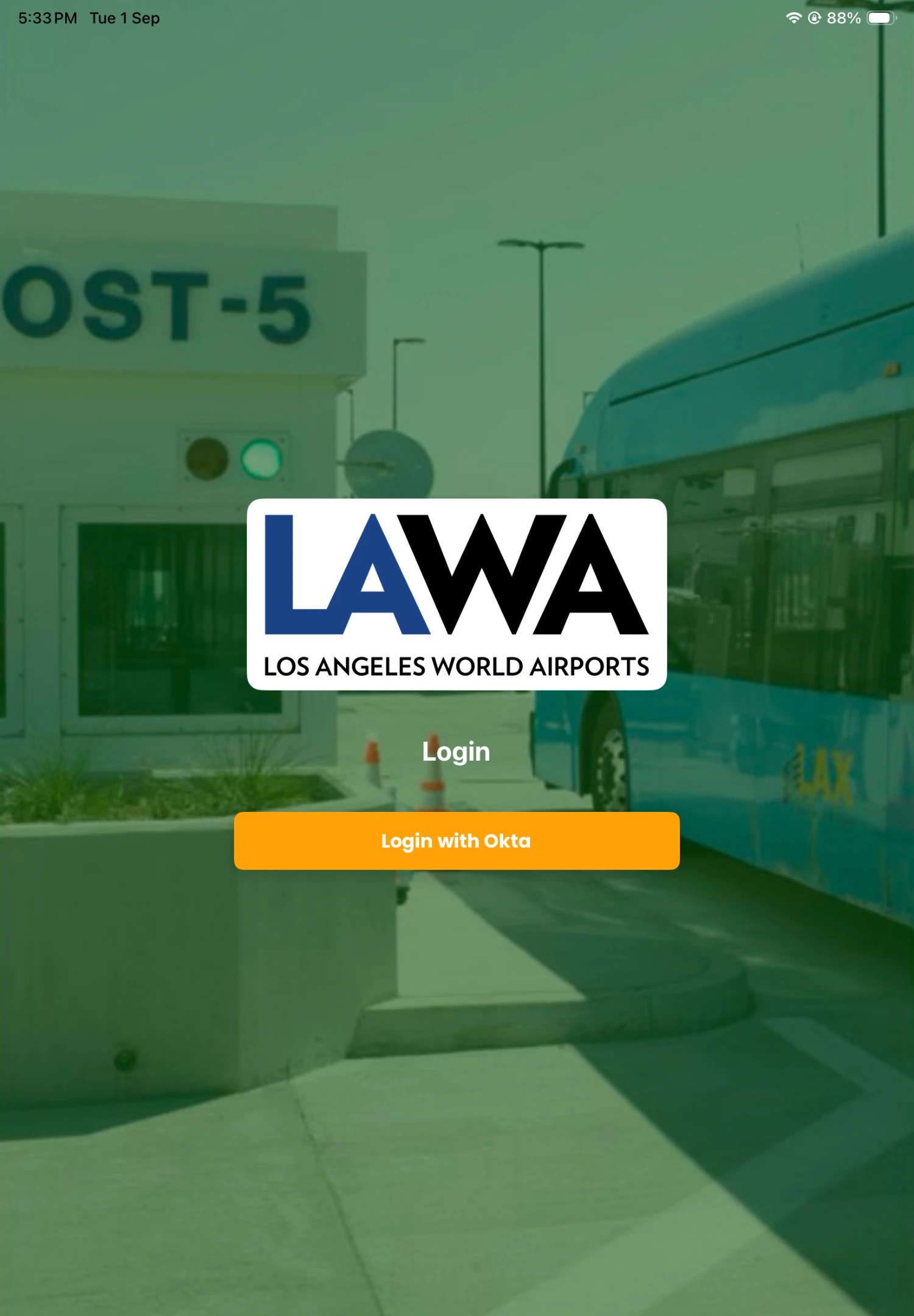
Okta login screen for the Birdi airport vehicle checkpoint application
React Native
One codebase, Android and iOS
Okta + MFA
Officer sign-in and verification
4 workflows
Visitor, vehicle, escort, medical
Offline-first
Local queue with configurable sync

Birdi

Aviation

Airport Vehicle Checkpoint Management System

Completed
App Type
Mobile Checkpoint Application
Location
Los Angeles airport facilities
Platform
Android and iOS
Technology
React Native
The Client Brief

A Mobile Checkpoint Application for Airport Officers

Birdi required a mobile application for officers managing vehicle checkpoint activity at Los Angeles airport facilities. The application needed to support the work officers perform at a checkpoint: confirming the correct checkpoint post, checking the people and vehicles requesting access, capturing supporting information and recording the final decision.

Softlabs completed a React Native application for Android and iOS that brings checkpoint validation, badge scanning, QR code verification, document capture, licence-plate capture, officer review and transaction records into one mobile workflow.

One mobile workflow

Validation, scanning, capture, review and decision in a single application.

Officer-led decisions

OCR assists the officer; the officer still reviews, corrects and decides.

Built for the gate

Designed around what an officer actually does at a checkpoint post.

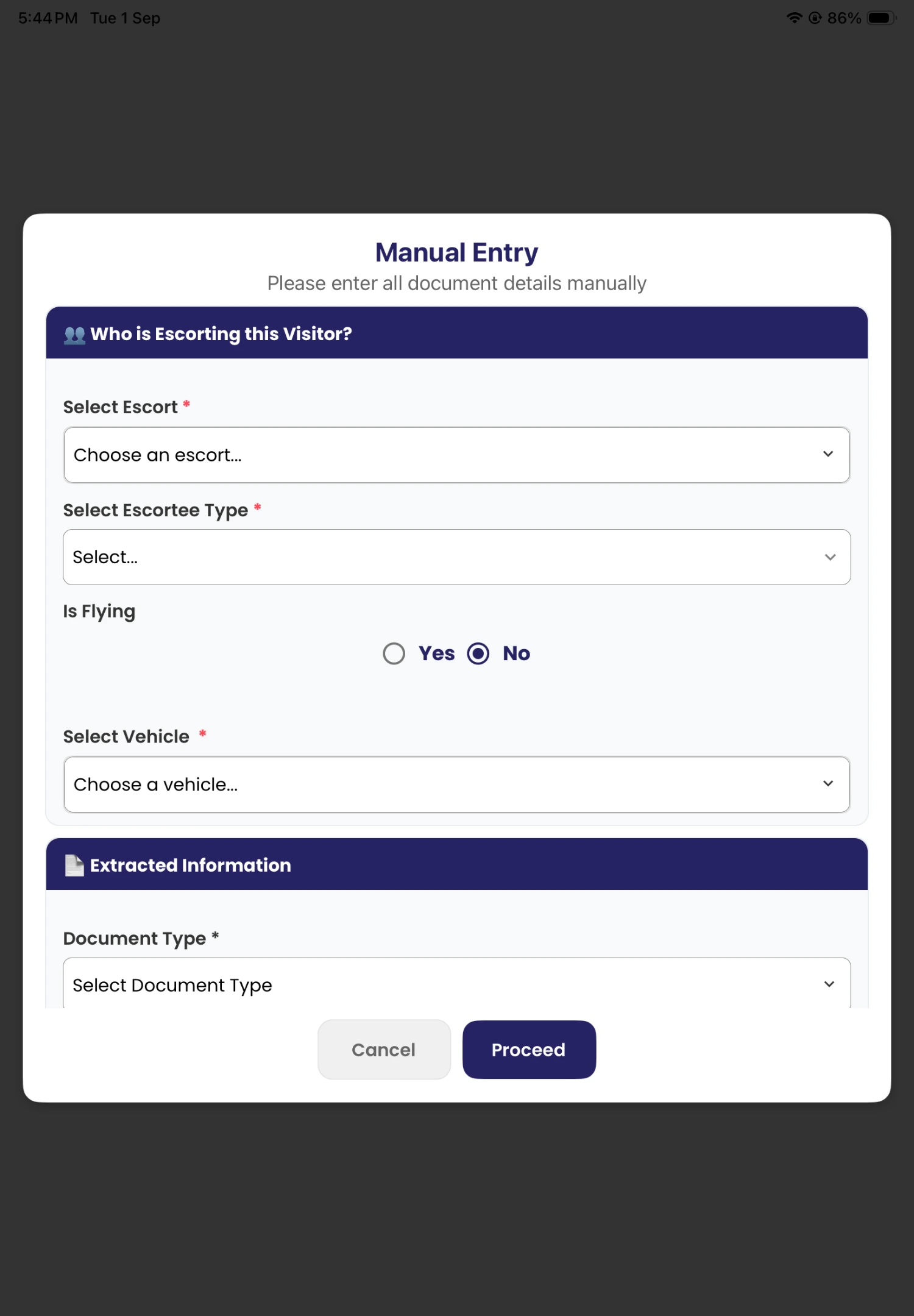
Birdi document review screen used by checkpoint officers
Capture information. Review it.
Record the decision.
The Need

Why Did Birdi Need an Airport Vehicle Checkpoint Management System?

Airport checkpoint officers need a clear way to check people, vehicles and supporting documents while keeping a record of each transaction. Birdi needed one mobile application that could support these steps across different checkpoint situations.

01

Too Much Information to Enter and Check

An officer may need to review badge details, vehicle information, documents, licence plates, visitor information and escort details. Entering all of this manually can create extra work and inconsistent records.

What Birdi needed

The application was designed to reduce manual entry by using badge scanning, QR scanning, document capture, licence-plate capture and OCR.
02

Different Visits Need Different Workflows

A standard visitor, an escorted visitor, a vehicle and a medical escort do not always follow the same checkpoint process.

What Birdi needed

Birdi needed an application that could guide officers through the correct workflow and collect the relevant details for each transaction type.

03

Checkpoint Work Must Continue with Limited Connectivity

Officers may need to record checkpoint activity when the network connection is unavailable or unstable.

What Birdi needed

The solution therefore needed a local transaction queue and configurable offline synchronisation so stored records could be sent when synchronisation was available.

The Build

What Did Softlabs Build for Birdi?

Softlabs built a React Native airport checkpoint application for Android and iOS. An officer signs in through Okta with multi-factor authentication and validates the selected checkpoint post using GPS, then begins the correct visitor, vehicle, escort or medical escort workflow.

During a transaction the officer can scan a badge or QR code, capture documents and licence plates, review OCR-extracted information and correct it when needed, then approve or deny the transaction. Queued activity is stored locally with configurable offline synchronisation.

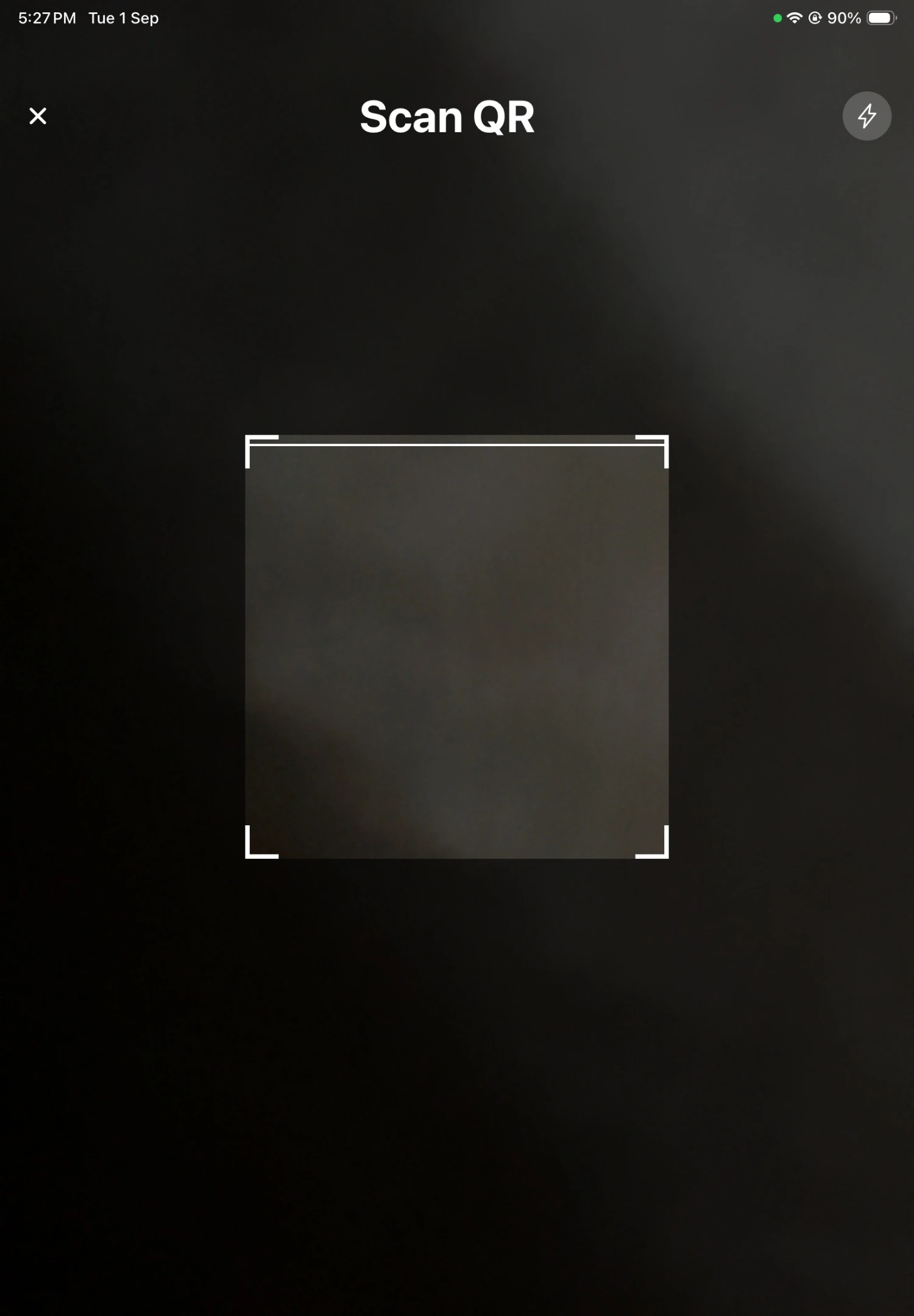
QR code scanner in the Birdi airport checkpoint application
Document information review screen in the Birdi checkpoint application

Delivered scope

19 capabilities, one application

Application & access

  • React Native mobile application for Android and iOS
  • Okta sign-in with multi-factor authentication
  • Checkpoint-post selection
  • GPS-based checkpoint validation

Scanning & capture

  • Badge scanning
  • QR code scanning
  • Document image capture
  • Licence-plate image capture
  • OCR-assisted information extraction
  • Officer review and correction of extracted information

Workflows & decisions

  • Visitor workflow
  • Vehicle workflow
  • Escort workflow
  • Medical escort workflow
  • Approve and deny actions

Records & continuity

  • Alerts
  • Transaction history
  • Local transaction queue
  • Configurable offline synchronisation

How It Works

The Birdi Checkpoint Workflow, Step by Step

Step 01

The Officer Signs In

The officer signs in through Okta and completes multi-factor authentication before using the checkpoint application.

Step 02

Selects and Validates the Checkpoint Post

The officer selects the post where they are working. GPS supports validation of the selected checkpoint location.

Step 03

Starts the Correct Transaction

Supported workflows include visitors, vehicles, escorts and medical escorts.

Step 04

Scans Available Codes or Badges

A badge or QR code is scanned when available, bringing visitor information into the transaction.

Step 05

Captures Documents and Licence Plates

The officer uses the mobile device to capture a supporting document or a vehicle licence plate.

Step 06

OCR Extracts Information for Review

OCR reads the captured image and shows the result to the officer, who can check and correct it before continuing.

Step 07

Reviews the Full Transaction

Visitor, vehicle, escort and document information is checked together, with alerts flagging relevant items.

Step 08

Approves or Denies the Transaction

After completing the required checks, the officer records an approve or deny decision.

Step 09

The Application Saves the Transaction

The completed transaction joins the record, available later through transaction history.

Step 10

Offline Records Wait in the Local Queue

Without synchronisation, transactions stay queued locally and are sent once syncing is available again.

Dedicated Workflow

How Does the Application Record an Emergency Vehicle Visit?

The Birdi application includes a workflow for recording an emergency vehicle checkpoint transaction, keeping it inside the same mobile application while allowing it to follow its own path.

01 Capture the required information for the emergency vehicle visit.
02 Review the recorded transaction details before saving.
03 Save the completed report as part of checkpoint activity.
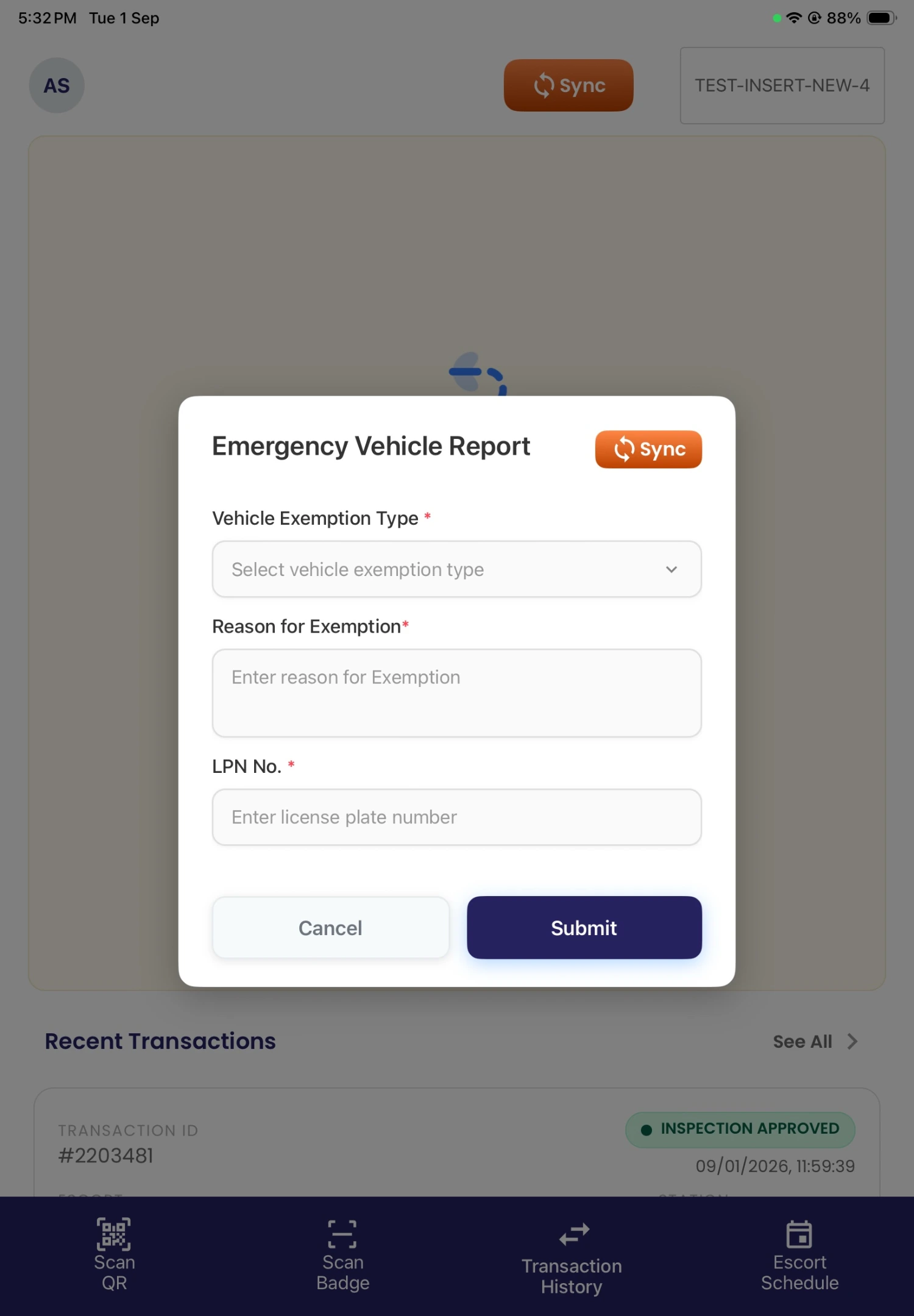
Emergency vehicle report in the Birdi airport checkpoint application

Problems & Fixes

Checkpoint challenges.
Practical answers.

Each challenge is paired with the application’s response, so you can see exactly how the workflow supports officers.

Tap to explore each challenge

Manual entry

The challenge

Officers may need to enter the same type of information manually: badge, document, vehicle and licence-plate details.

The application’s response

The application supports badge scanning, QR scanning, document capture, licence-plate capture and OCR. Officers can review and correct the extracted information before saving it.
Post validation

The challenge

Officers need to confirm they are working at the correct post, with a clear connection between the transaction and the selected checkpoint.

The application’s response

The officer selects the checkpoint post, and GPS supports validation of the selected location.

Visit types

The challenge

One process does not fit every checkpoint visit: visitor, vehicle, escort and medical escort transactions require different information.

The application’s response

The application provides separate workflows so officers can follow the relevant process for each transaction type.

OCR review

The challenge

OCR information may need human correction, as text extracted from a document or licence-plate image can be imperfect.

The application’s response

The application shows extracted information to the officer and allows review and correction before the transaction continues.

Final decisions

The challenge

Officers need a clear final decision. A checkpoint record must show what happened at the end of the review.

The application’s response

The officer can approve or deny the transaction after checking the required information.

Offline work

The challenge

Network access may be limited, and a weak connection can prevent immediate synchronisation.

The application’s response

The application includes a local queue and configurable offline synchronisation for records waiting to be sent.

Previous activity

The challenge

Previous activity needs to remain available for officers reviewing earlier checkpoint transactions.

The application’s response

The application includes transaction history and detailed transaction records.

Problems & Fixes

Checkpoint challenges.
Practical answers.

Each challenge is paired with the application’s response, so you can see exactly how the workflow supports officers.

Scroll to explore each challenge
01 / 07

Manual entry

The challenge

Officers may need to enter the same type of information manually: badge, document, vehicle and licence-plate details.

The application’s response

The application supports badge scanning, QR scanning, document capture, licence-plate capture and OCR. Officers can review and correct the extracted information before saving it.

The Outcome

One application.
Every checkpoint decision.

A cross-platform airport checkpoint application that brings post validation, identity and vehicle checks, image capture, OCR review, transaction decisions, alerts, history and offline queuing into one mobile system.

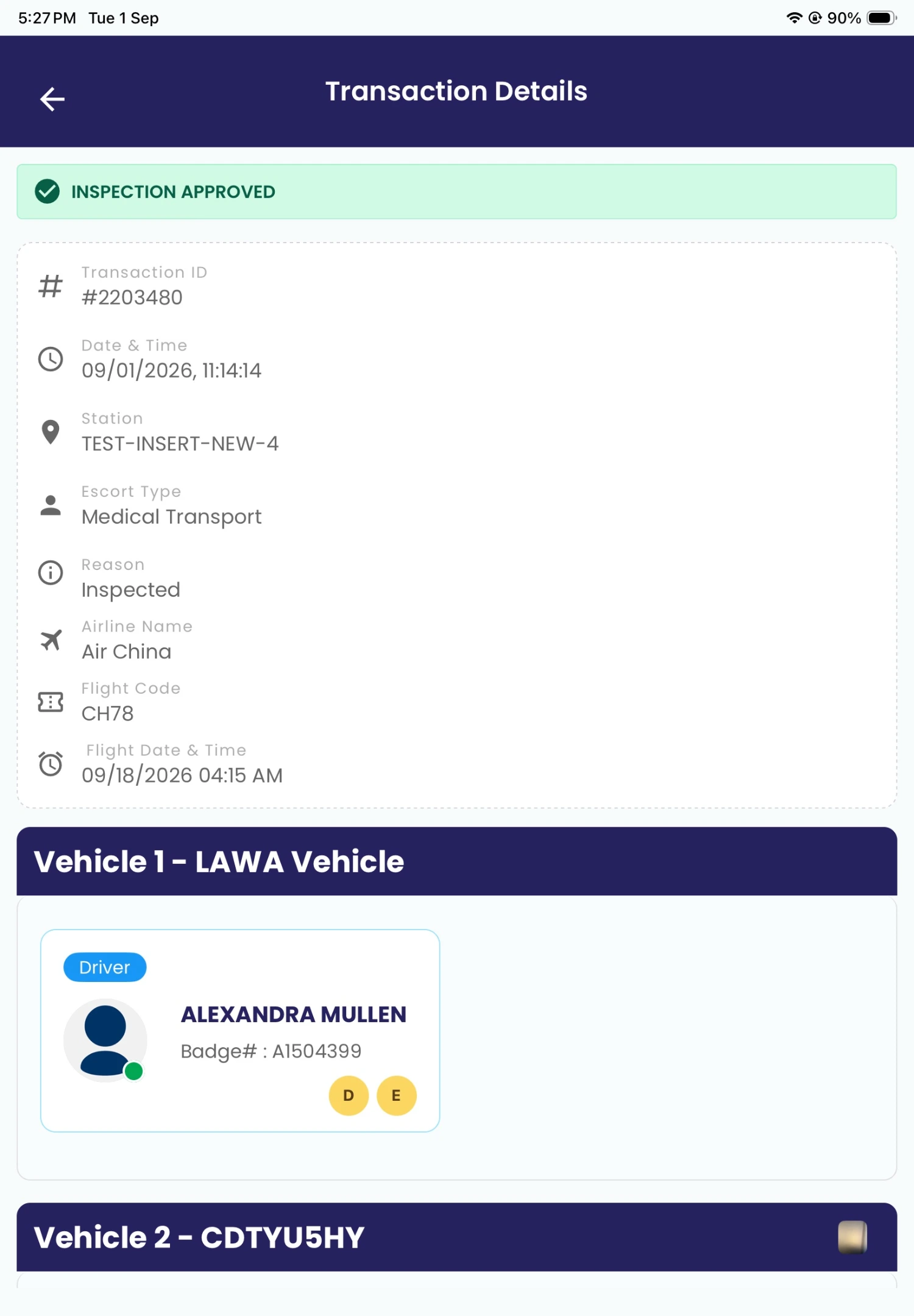
Approved transaction details in the Birdi airport vehicle checkpoint management system
Transaction approved
The application was designed to
reduce repeated manual entry where scanning or OCR information is available
support a consistent sequence of checkpoint steps
keep the officer in control of reviewing and correcting extracted information
support different visitor, vehicle and escort situations
record approve or deny decisions
keep a history of checkpoint transactions
queue records locally when immediate synchronisation is not available
Core Features

The right capabilities.
At every checkpoint.

Sixteen capabilities, grouped by the part of the checkpoint they support, from officer sign-in through to what happens when the network drops.

01

Access & Identity

4 features

Okta Sign-In and MFA

Officers access the application through Okta and complete multi-factor authentication.

Checkpoint-Post Selection

The officer selects the post where the transaction is taking place.

GPS Checkpoint Validation

GPS supports validation of the selected checkpoint post.

Badge Scanning

The application can scan a badge during the checkpoint workflow.

02

Capture & OCR

4 features

QR Code Verification

Officers scan QR codes as part of visitor or vehicle verification.

Document Capture

The mobile device captures images of supporting documents.

Licence-Plate Capture

Officers capture a vehicle licence plate during a transaction.

OCR-Assisted Data Entry

OCR extracts supported information from captured images.

03

Workflows & Decisions

4 features

Officer Review and Correction

The officer checks and corrects OCR-extracted information before continuing.

Visitor and Vehicle Workflows

Separate processes for visitors and for vehicles.

Escort Management

Escort and medical escort information recorded in the relevant workflow.

Approve or Deny Decisions

The officer records the final checkpoint decision in the application.

04

Records & Reliability

4 features

Alerts

The application can show alerts during checkpoint activity.

Transaction History

Officers view previous transactions and their recorded details.

Local Queue

Transactions wait locally when synchronisation is unavailable.

Configurable Offline Sync

Offline synchronisation can be configured for queued records.

Beyond the airport.
Built for controlled access.

A similar checkpoint application can support organisations that need to verify people and vehicles before allowing access to a controlled location.

The Stack

What Technologies Support the Birdi Checkpoint Application?

01
Application & Platforms
React Native Cross-platform development
Android Supported platform
iOS Supported platform
02
Identity & Security
Okta Officer sign-in
MFA Additional verification
03
Device Capabilities
GPS Checkpoint-post validation
Camera Capture Documents and licence plates
QR & Badge Scanning Code and badge input
OCR Extraction from images
04
Data & Synchronisation
Local Queue Transactions awaiting sync
Configurable Offline Sync Sync of queued activity

Need an Airport Vehicle Checkpoint Management System?

Softlabs can help you plan and build a mobile checkpoint application for visitor, vehicle, escort and document-verification workflows.

Discuss Your Checkpoint Application
Tell us about
Your users and checkpoint roles
The checkpoint steps you follow
Scanning and capture requirements
Your approval process
Offline and synchronisation needs
FAQs

Frequently Asked Questions

Answers about how the checkpoint application works, what it covers and how it behaves offline.

What is an airport vehicle checkpoint management system?

An airport vehicle checkpoint management system is software that helps officers check people, vehicles and supporting information at a controlled access point. It can guide officers through badge or QR scanning, document capture, licence-plate verification, visitor and escort details, alerts and the final approve or deny decision.

What did Softlabs build for Birdi?

Softlabs completed a React Native checkpoint application for Birdi for use by airport officers at Los Angeles airport facilities. The Android and iOS application supports Okta sign-in with MFA, GPS checkpoint validation, badge and QR scanning, document and licence-plate capture, OCR review, multiple checkpoint workflows, transaction decisions, alerts, history and offline queuing.

How does QR code checkpoint verification work in the application?

The officer opens the scanner during a checkpoint transaction and scans the available QR code. The scanned information becomes part of the transaction workflow so the officer can review it together with the other visitor, vehicle and document details before making a decision.

Can officers correct information extracted by OCR?

Yes. OCR assists with extracting supported information from a captured document or licence-plate image, but the officer remains responsible for reviewing it. The application allows the officer to correct the extracted information before continuing with the transaction.

Does the application support visitors and escorts?

Yes. The application includes workflows for visitors, vehicles, escorts and medical escorts. This allows officers to collect information relevant to the type of checkpoint transaction instead of using one identical process for every visit.

Can the airport checkpoint application work offline?

The application includes a local queue and configurable offline synchronisation. When immediate synchronisation is not available, transactions can wait in the local queue and be sent when synchronisation becomes available. The exact synchronisation behaviour depends on its configuration.

DMCA.com Protection Status  © Copyright 2003 - 2026 Softlabs Technologies & Development Pvt. Ltd. All Rights Reserved.
