



Step 01
Monitor the Operations Mailbox
The unattended robot monitors the designated operations mailbox for incoming messages.


 United States
Softlabs built an unattended UiPath workflow for Clipper Oil Inc. to process recognised SEACard fuel requests: reading the request, extracting delivery information, working through the system, generating screenshots, and replying all from the operations mailbox. Softlabs later repaired the robot when processing stopped working as expected — the client confirmed the issue was resolved.
Clipper Oil Inc.
Marine fuel supply and bunkeringClipper Oil Inc. is a marine fuel supply and bunkering company based in San Diego, USA. Its operations included handling fuel quote and order requests submitted by commercial and government vessels through SEACard, also known as SEA Card OMS.
These requests arrived by email and contained operational details needed for the next stage of the workflow. The process required the operations team to identify the correct messages, read the request information, access the required system, generate request screenshots and reply to the original email participants. Softlabs developed a UiPath robot to automate this defined email-to-response process.

SEACard requests arrived through an operations mailbox and had to be checked as part of an ongoing operational process. A valid request could include vessel name, delivery port, fuel type, fuel quantity, and delivery details.
The team had to recognise the relevant request, transfer its information into the required system workflow, capture screenshots and return those screenshots to the people already included in the email conversation. The repeated nature of these steps made the process suitable for rule-based automation — processing only recognised SEACard requests that matched the documented subject rules.
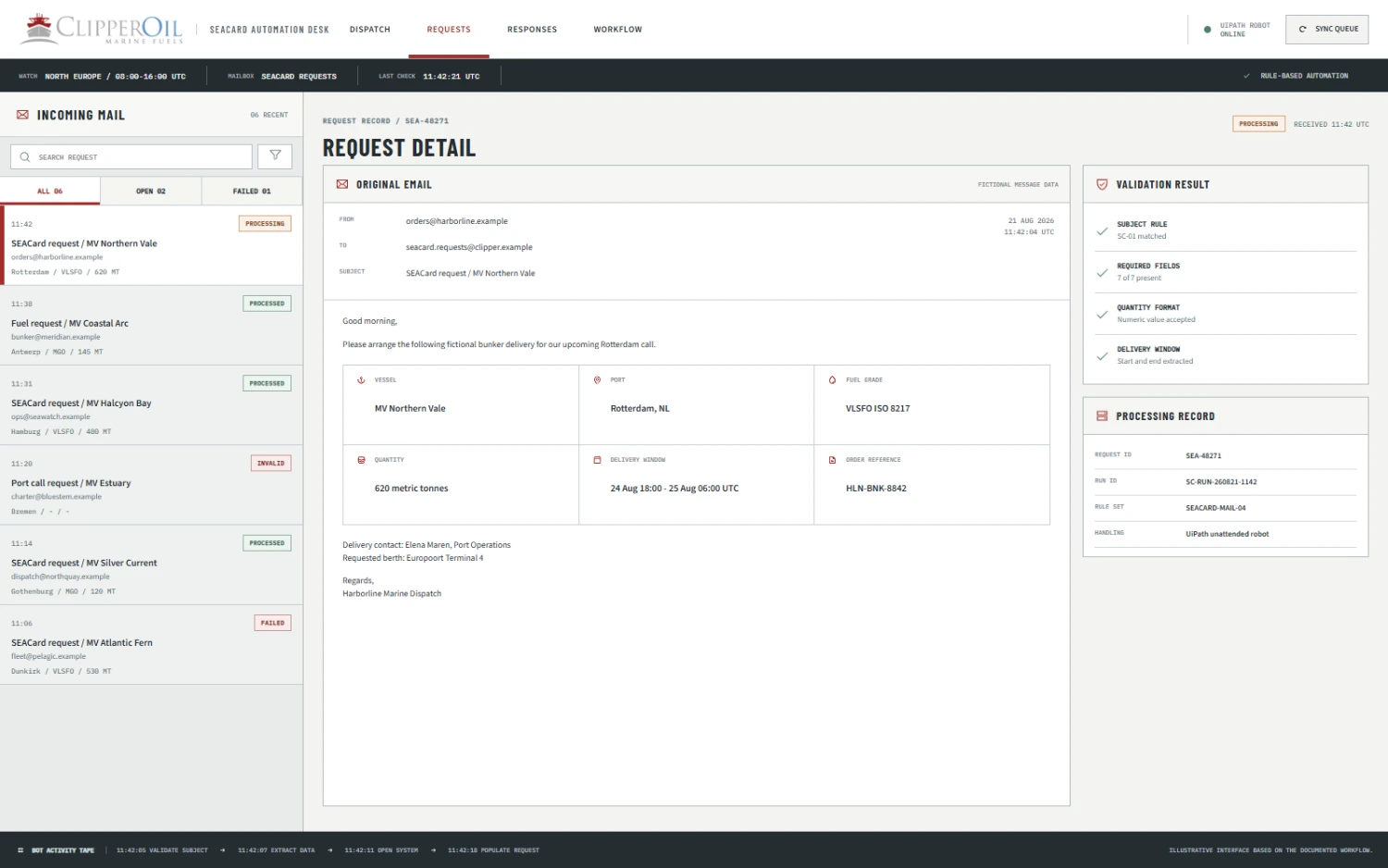
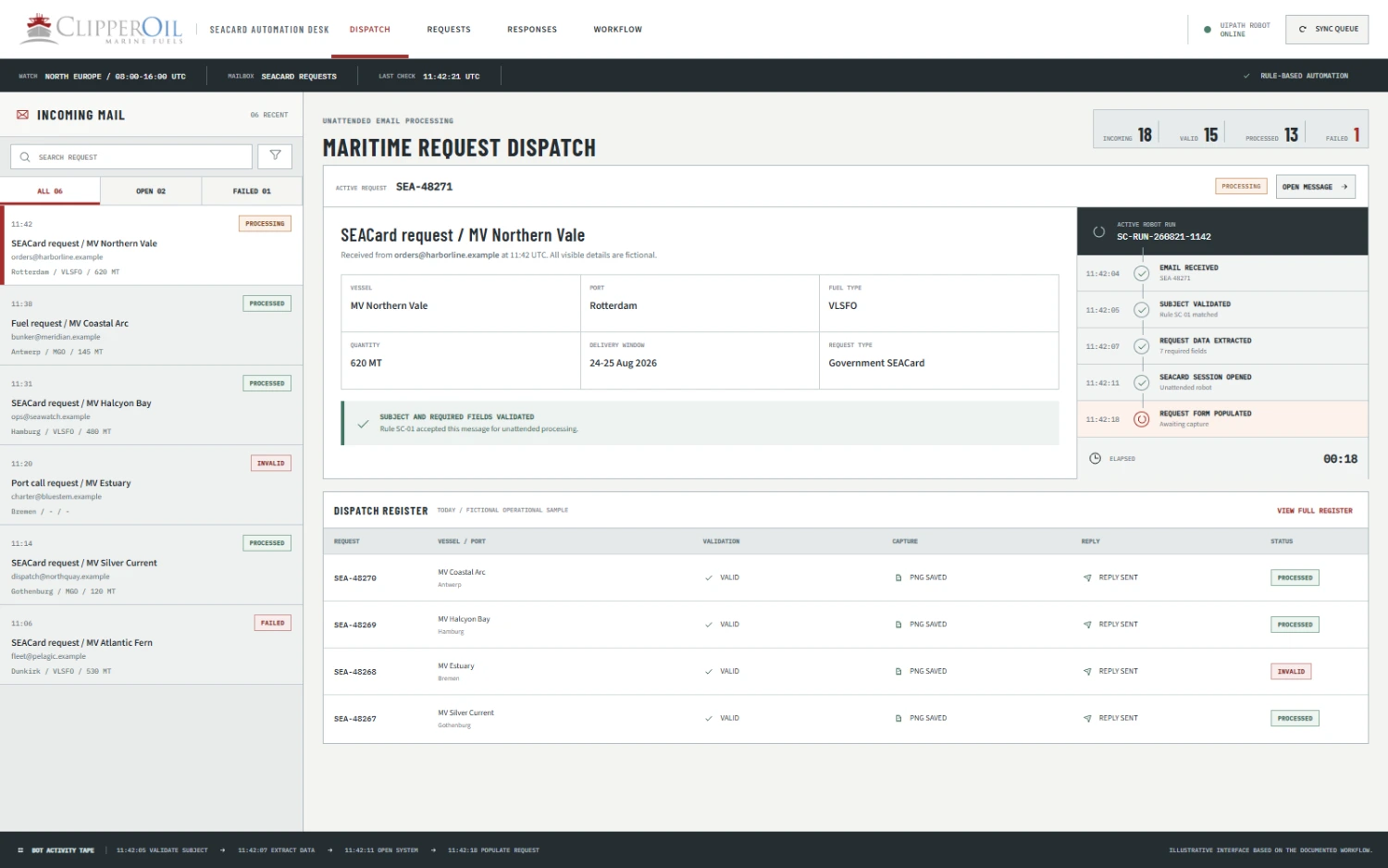
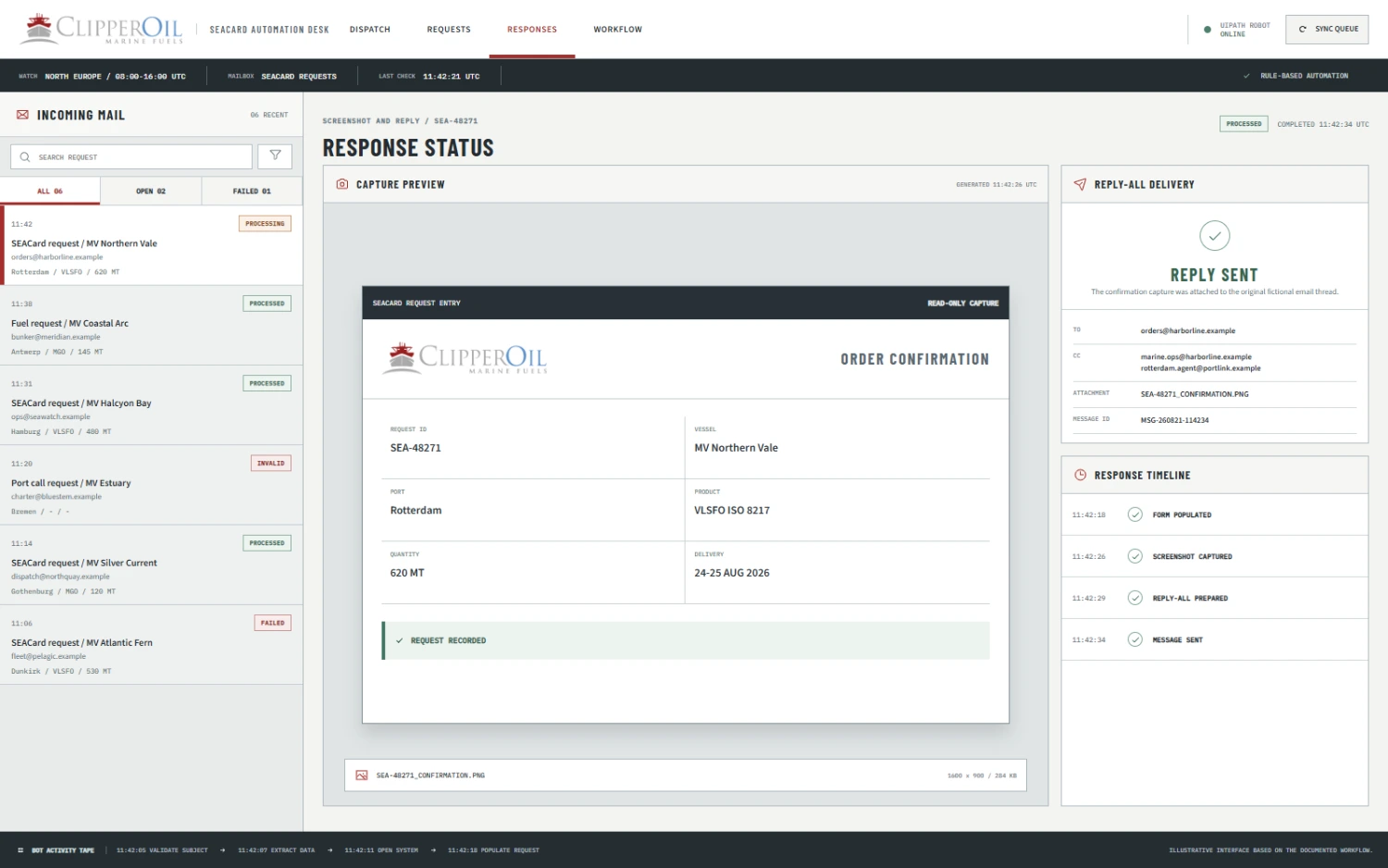
Softlabs built an unattended UiPath robot for a defined email-to-response workflow. The automation monitored the operations mailbox, validated incoming email subjects and processed recognised SEACard requests only. For a recognised request, the robot extracted the required vessel and delivery information, logged into the required system, completed the documented request steps, generated screenshots and returned those screenshots through a Reply All email — preserving the original participants without changing recipients or routing by keyword.
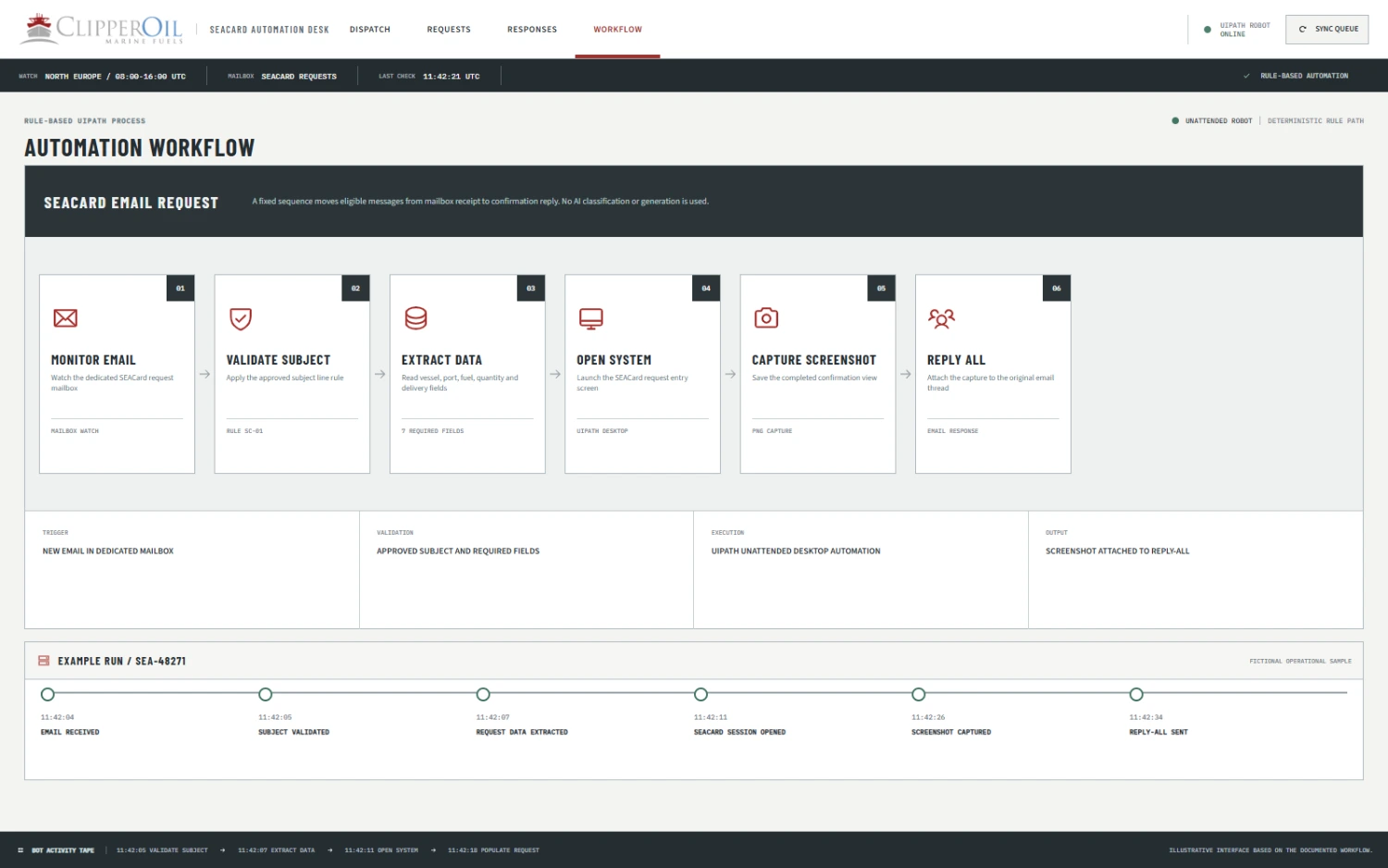
Detailed Automation Flow
The robot follows a fixed, rule-based sequence for recognised SEACard emails. Messages that do not meet the documented subject criteria are outside the automated processing path.
The unattended robot monitors the designated operations mailbox for incoming messages.
The automation checks the subject and continues only when the email is recognised as a SEACard request under the documented rules.
The robot reads the recognised request and extracts Vessel Name, Port, Fuel Type, Fuel Quantity and Delivery Details.
The robot accesses the system needed for the documented request workflow.
Using the information extracted from the email, the robot completes the defined system steps associated with the request.
The automation creates screenshots of the request workflow for inclusion in the response.
The robot uses Reply All from the operations mailbox and attaches the generated screenshots, preserving the existing recipient list rather than changing recipients or applying keyword-based routing.
Pain Points & Fixes
Tap to explore each pain point
The operations mailbox required ongoing attention for relevant requests.
The unattended robot monitored the mailbox and checked incoming messages.
Only recognised SEACard requests belonged in this workflow.
Subject validation limited processing to messages that matched the documented request rules.
Vessel and fuel delivery information had to be taken from the email.
The robot extracted the defined request fields used by the workflow.
Staff had to move between email and the required system.
UiPath connected the email-triggered steps with the documented system process.
Screenshots had to be created for the response.
The robot generated request screenshots automatically.
The response had to remain in the original email conversation.
The robot used Reply All without changing recipients.
Later issues affected new and legacy email processing and screenshot generation.
Softlabs repaired and maintained the robot while preserving its documented workflow.
Pain Points & Fixes
Each documented pain point paired with the matching automation response.
The operations mailbox required ongoing attention for relevant requests.
The unattended robot monitored the mailbox and checked incoming messages.
After the original automation had been delivered, Softlabs was asked to repair and maintain the robot. The reported repair work restored:
The client later confirmed that the reported issue had been resolved. This is a client-confirmed repair outcome, not an independent technical benchmark.
The automation removed the need for staff to continuously watch the mailbox and manually repeat every defined email-to-response step for recognised requests. According to the project developer's operational estimate, the manual workflow took roughly 10 minutes, while the automated flow took about 30 seconds after the email trigger — a developer-reported estimate, not an independently benchmarked or guaranteed current speed.
BeforeRoughly 10 minutes of manual work, based on the developer's estimate
AfterAbout 30 seconds for the automated flow, based on the same estimate
BeforeStaff needed to keep checking the mailbox
AfterThe unattended robot monitored for recognised requests
BeforeRequest information was handled through repeated manual steps
AfterUiPath extracted the documented fields and completed the defined workflow
BeforeScreenshots were produced as part of the manual process
AfterScreenshots were generated by the robot
BeforeStaff prepared the response in the email thread
AfterThe robot used Reply All while retaining the recipients
Eight capabilities built into the delivered UiPath workflow.
4 features
The unattended robot watched the operations mailbox for incoming request emails.
Rule-based subject checks limited automation to recognised SEACard requests.
The workflow extracted Vessel Name, Port, Fuel Type, Fuel Quantity and Delivery Details.
UiPath used the extracted information in the documented system process.
4 features
The robot created request screenshots for the outgoing response.
The automation replied in the original email conversation without changing the existing recipients.
The later repair work restored processing for new emails and support for legacy emails.
The workflow ran as an unattended email-triggered automation rather than requiring staff to perform each repeated step.
A similar rule-based email automation pattern may be suitable when a business receives predictable requests with consistent fields and a defined response process. These are adjacent use cases, not additional functions claimed for the Clipper Oil project.
The solution used UiPath to connect a recognised email request with a defined operational workflow. It was rule-based automation, not an AI or OCR system.
If your team receives structured requests by email and repeats the same system, screenshot or response steps, Softlabs can help you assess whether the workflow is suitable for unattended UiPath automation.
Discuss Your UiPath AutomationThe automation monitored an operations mailbox, validated email subjects and processed recognised SEACard requests. It extracted Vessel Name, Port, Fuel Type, Fuel Quantity and Delivery Details, worked through the required system process, generated screenshots and sent a Reply All response.
The robot used documented subject rules to recognise SEACard requests. It did not process every email, and it did not use different keywords to route messages to different recipients.
No. The documented workflow used Reply All and preserved the recipients already included in the email conversation.
For recognised requests, the robot extracted Vessel Name, Port, Fuel Type, Fuel Quantity and Delivery Details.
The project developer estimated that the manual process took roughly 10 minutes and the automated flow took about 30 seconds after the email trigger. This was an operational estimate, not an independently verified benchmark or a guarantee of current processing speed.
The reported repair work restored new email processing, legacy email support and screenshot generation while preserving the existing workflow. The client later confirmed that the reported issue had been resolved.


