



Step 01
Record the expected count
A staff member records the expected quantity of supported surgical consumables in the app.


iCount is an AI-assisted surgical consumables counting system being tested through a UK hospital pilot. The app analyses captured images to identify and count visible consumables, compares the detected count with the expected count recorded by staff, and presents the result for human confirmation or correction.
The system is being built to support count verification. It does not replace the established manual count, make autonomous clinical decisions or provide a result that can be accepted without staff review.
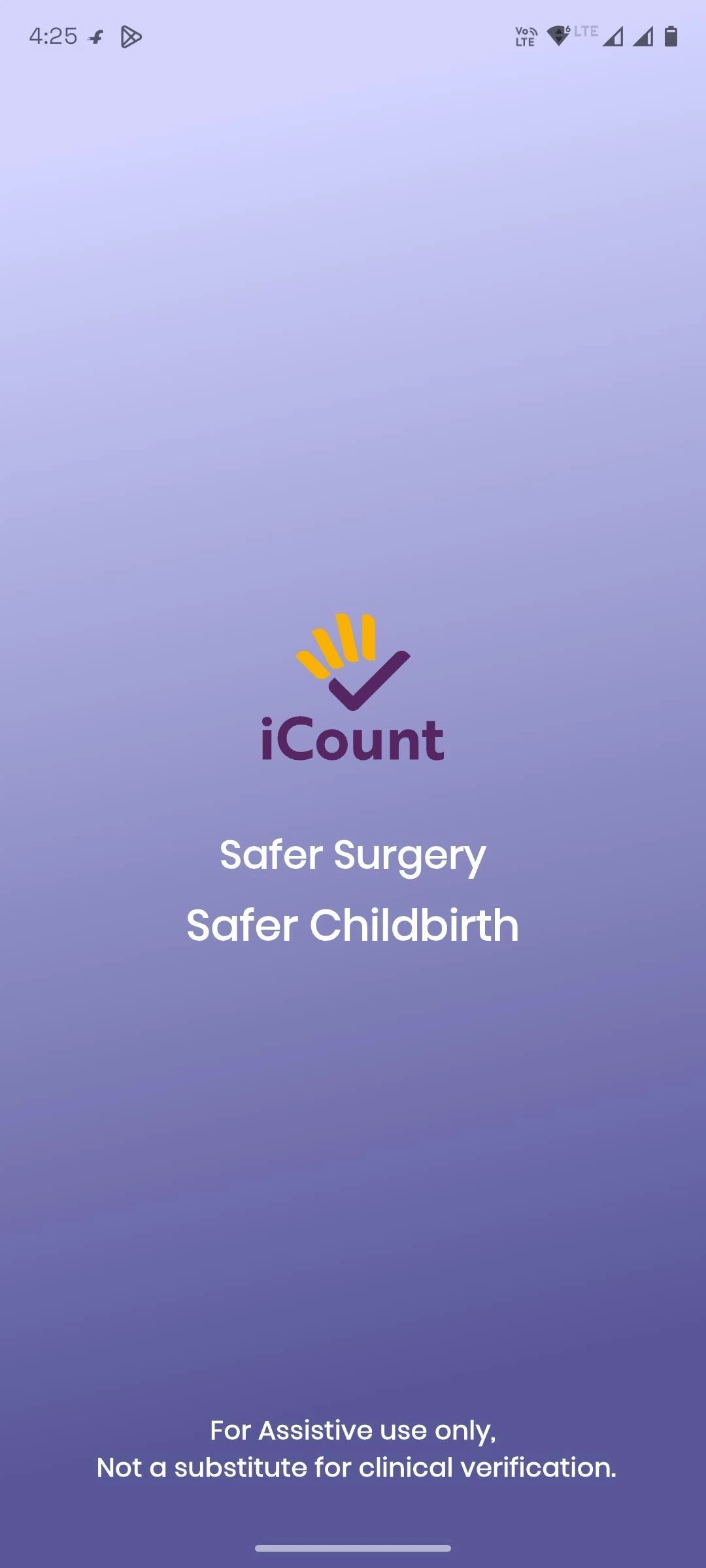
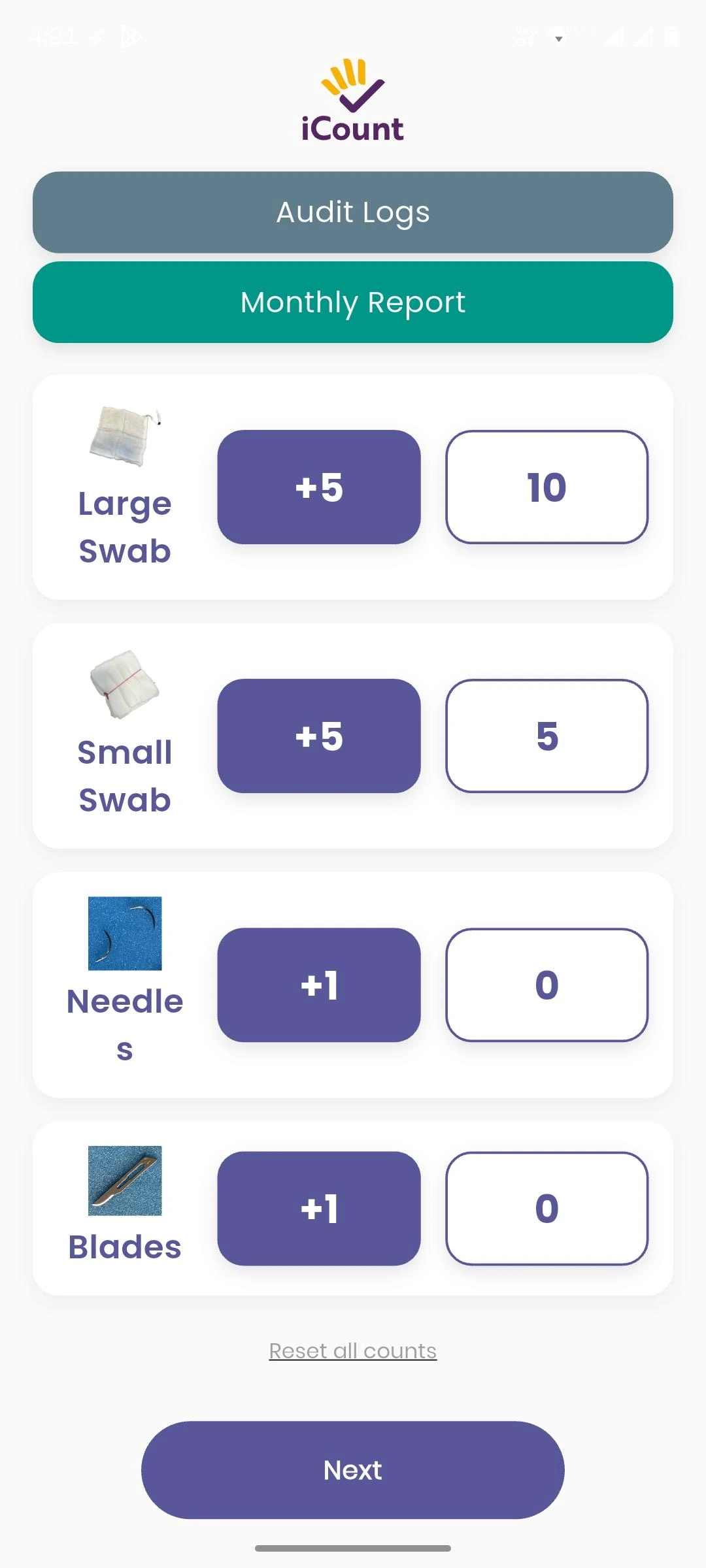
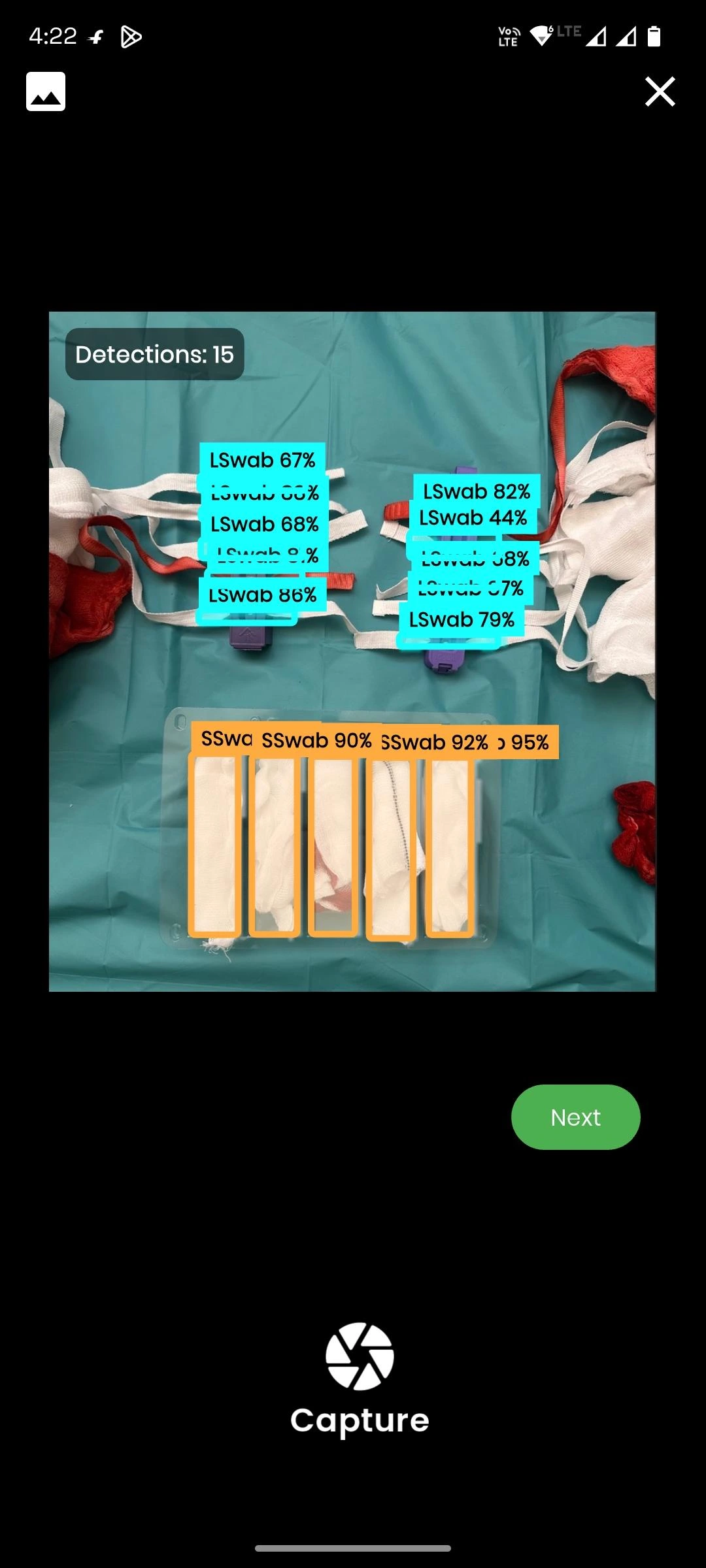
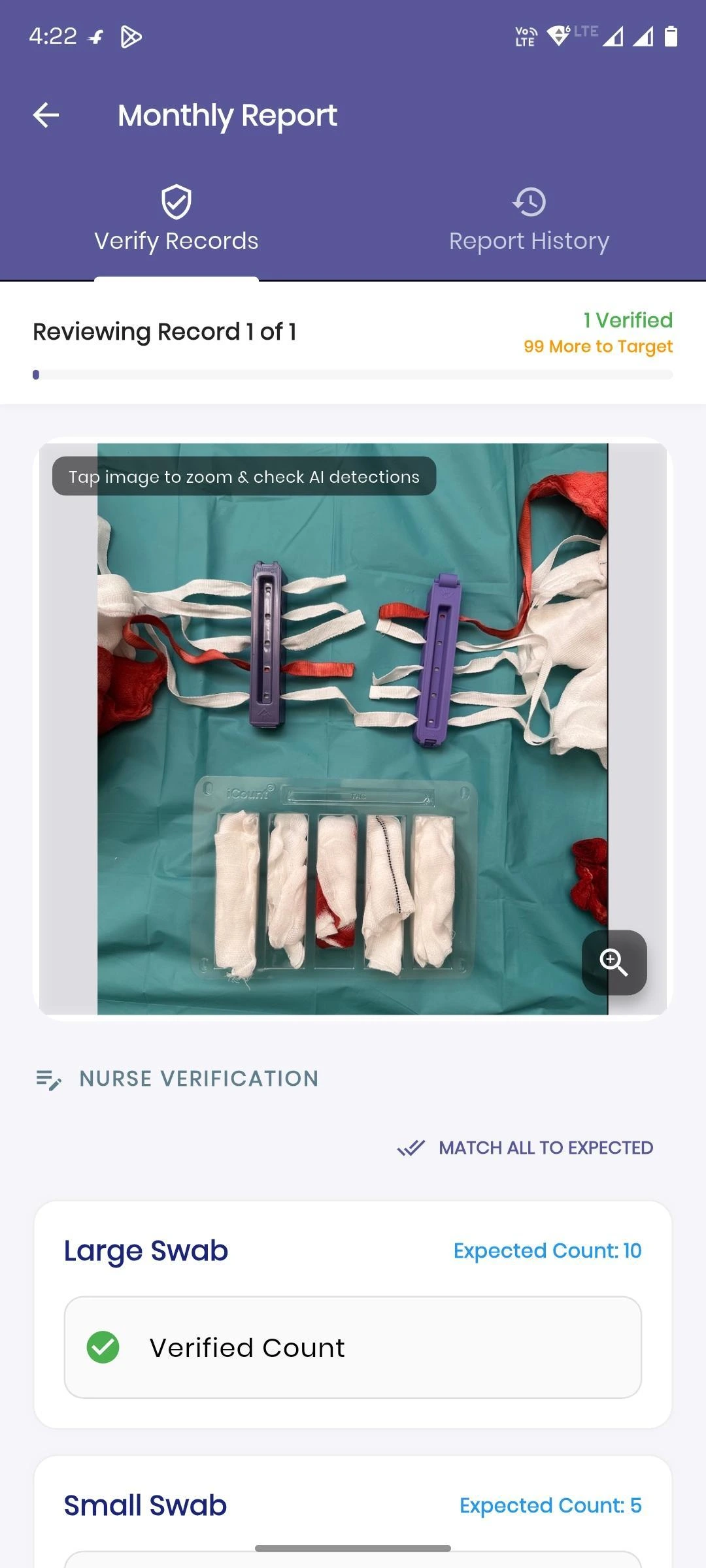
Clinical-content note: Some supplied pilot-app screenshots show used swabs with visible red staining. They do not show patient identity or procedure imagery.
iCount
Healthcare AI / Surgical Safety / Medical TechnologySurgical consumables are counted manually before, during and after procedures. Staff must record expected quantities and check that the count is complete.
iCount is being developed as an additional visual count-verification tool. It uses image analysis to detect visible supported items and compare the result with the expected count entered in the app. Any displayed result remains subject to staff review.
The pilot is exploring whether this workflow can provide useful count information for human verification. It is not testing the removal of the manual count or the transfer of clinical responsibility to an AI system.
The hospital pilot is testing an AI-assisted workflow in which staff record an expected count, capture images, review detected items and confirm or correct the result in the app.
whether supported consumables can be identified in captured test images;
how detected quantities can be compared with the expected count recorded by staff; and
how staff can review, confirm or correct the displayed result.
These are pilot objectives, not achieved clinical outcomes. The available evidence does not establish clinical validation, safety performance, workflow improvement or readiness for clinical reliance.
Documented Six-Step Workflow
A staff member records the expected quantity of supported surgical consumables in the app.
The user uses the app’s camera workflow to capture images of the consumables during or after the procedure.
The app processes the captured image using the on-device ONNX model.
The model identifies and counts visible supported consumables in the image. Detection is limited by the model, image conditions, item visibility and the supported item classes. No guarantee is made that every item will be detected.
The app compares the detected count with the expected count previously recorded by staff.
The app displays the comparison for the user to review. The user must confirm or correct the result in the app. The exact confirmation and correction interaction is not fully documented.
Workflow Boundary The displayed comparison is decision-support information for staff review. It is not an autonomous clinical decision and does not replace the established manual count or other required clinical procedures.
The current app work covers these documented item types:
The listed item types do not represent all surgical consumables. Equal performance across item types has not been established. An item-class breakdown for the available engineering test figure has not been supplied.
The pilot app uses YOLO26 segmentation through an ONNX model named recent_best.onnx. Inference runs on the device and can operate offline.
The documented processing path is:
1. capture or select an image in the Flutter app;
2. prepare the image for analysis;
3. run recent_best.onnx on the device through onnxruntime_v2;
4. identify and count visible supported items;
5. compare the detected count with the expected count; and
6. present the result for required user review.
On-device processing describes where the current inference runs. On-device processing alone does not establish clinical safety, data security, regulatory compliance or model performance.
iCount is an AI-assisted pilot tool. A staff member must review the detected items and count comparison, then confirm or correct the result in the app.
The system:
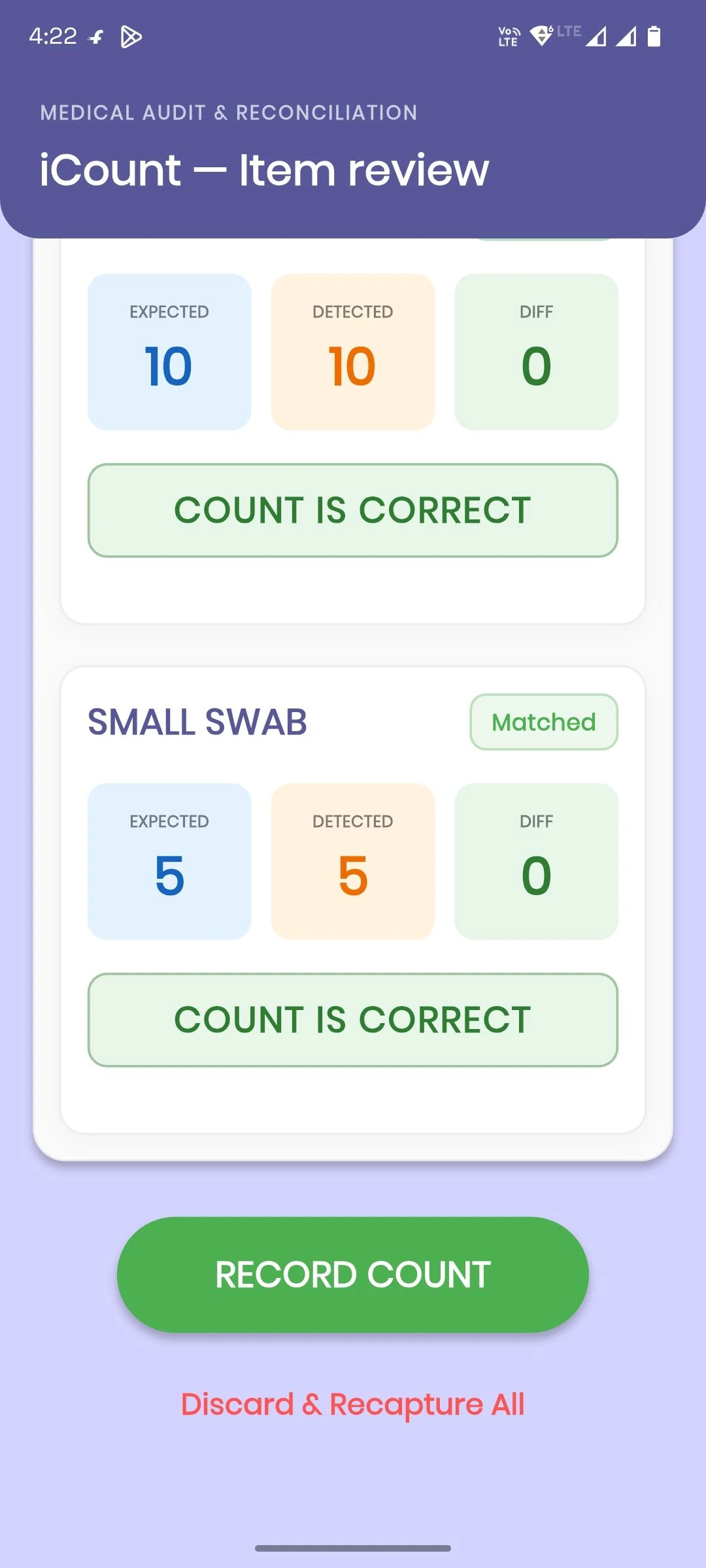
A displayed match only means that the app’s detected count and recorded expected count align at that point in the workflow. It is not proof that a procedure is safely complete. User confirmation remains required.
The team reported 92% detection accuracy across 100 test images during engineering testing.
This is engineering test evidence. It is not clinical validation.
The available information does not document:
The 100 samples were test images, not 100 patients or 100 surgical cases. The reported detection figure does not establish performance for every supported item, every image condition or clinical use.
The current work covers a hospital-pilot workflow for expected-count entry, image capture, on-device item detection, count comparison and required staff verification.
Authentic supplied pilot-app screenshot showing a matched comparison. A match is not proof of safe completion; staff confirmation remains required. Clinical-content note: used swabs with visible red staining may appear; no patient identity or procedure imagery is shown.
Authentic supplied pilot-app screenshot showing a discrepancy path for manual verification. Clinical-content note: used swabs with visible red staining may appear; no patient identity or procedure imagery is shown.
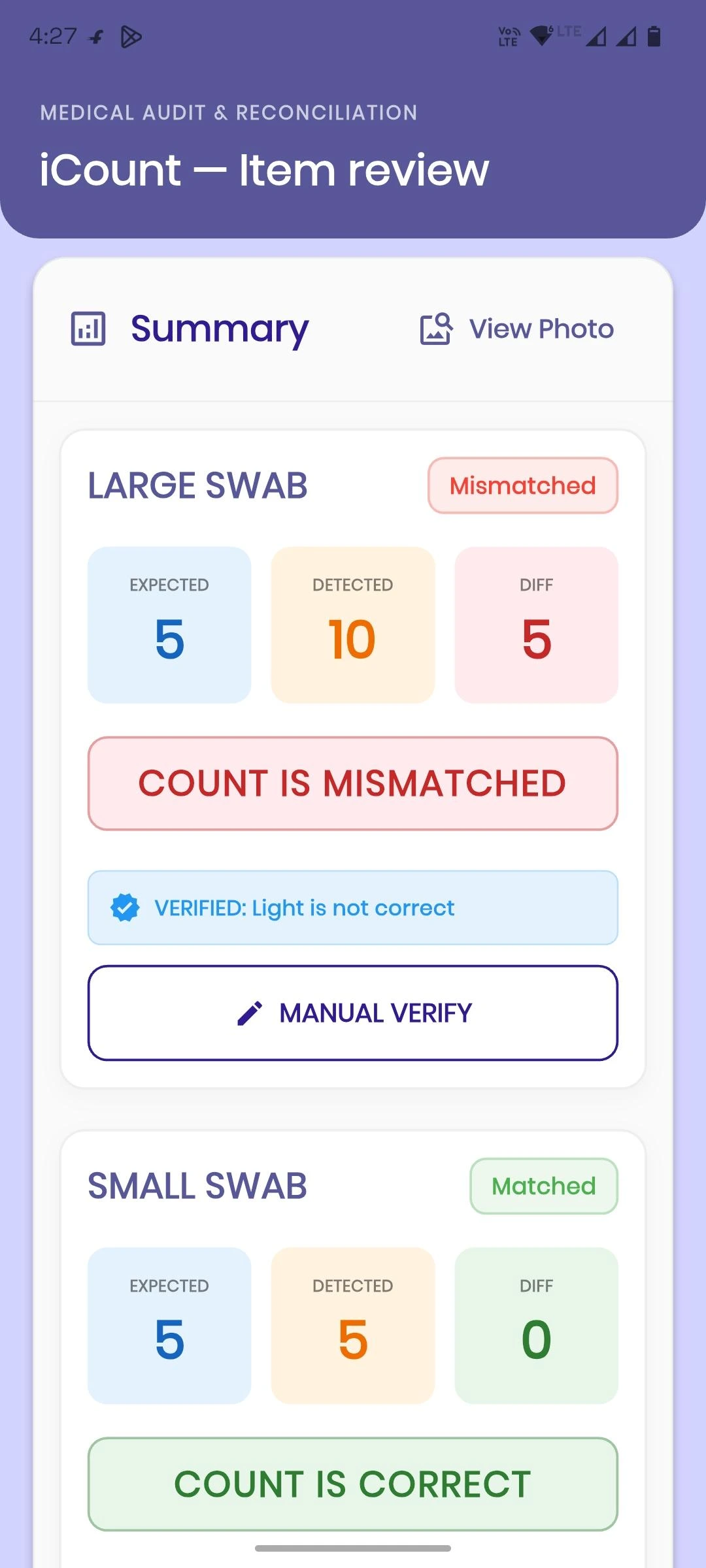
These screens demonstrate the intended pilot workflow. They do not establish improved safety, fewer count errors, clinical effectiveness or successful completion of a surgical count.
2 features
Users can record the expected quantity of supported consumables before comparison.
The Flutter camera workflow supports image capture during or after the procedure.
2 features
The AI model identifies supported items that are visible in the captured image, subject to model and image limitations.
The ONNX model runs on the device and can process images offline.
3 features
The app compares the detected quantity with the expected count recorded by the user.
The interface can display whether the detected and expected counts align or whether a discrepancy needs review.
The user confirms or corrects the displayed result in the app. The exact confirmation and correction interaction is not fully documented.
1 feature
Current images and app data are stored locally in the app/on the device.
The supplied screenshots do not show patient identity or procedure imagery. Some show used swabs with visible red staining.
Local storage and offline processing alone do not establish security, privacy by design, encryption, compliance or anonymity.
Server-based storage is planned for future work but has not been implemented in the documented pilot.
No backend, hosting provider, server architecture or server security design has been supplied.
Subject to separate testing, governance and clinical review, the same type of human-verified image-analysis workflow may be explored for:
These are possible adjacent applications, not implemented deployments or validated clinical uses.
This technology list documents the current app stack. It does not establish regulatory status, clinical validation, security certification or production readiness.
We help teams design and build AI-assisted applications with clear workflows, documented technical boundaries and human review at important decision points.
Discuss Your PilotTell us about the workflow, users, evidence requirements and verification steps your pilot needs.
iCount is an AI-assisted pilot app that analyses captured images to identify and count visible supported surgical consumables. It compares the detected count with the expected count recorded by staff and shows the result for required confirmation or correction. It does not replace the established manual count.
The documented item types are Spongetapes, Raytecs, clips and trays. The available evidence does not provide an accuracy breakdown for each item type or guarantee that every visible item will be detected.
No. The app presents AI-assisted detection and comparison information for staff review. A user must confirm or correct the result in the app. The system is not presented as ready for autonomous or unverified clinical use.
No such claim is supported. iCount is described as a hospital pilot in progress. The available engineering test evidence is not clinical validation, certification, approval or proof of clinical efficacy.
The documented ONNX inference runs on the device and can operate offline. Images are currently stored locally in the app/on the device. Offline operation alone does not establish security, privacy compliance or clinical safety.
The team reported 92% detection accuracy across 100 test images during engineering testing. The test conditions, dataset composition and item-level breakdown have not been supplied. The figure must not be interpreted as count accuracy, sensitivity, specificity, safety performance, clinical efficacy or evidence from 100 patients or procedures.


