



Demand Visibility
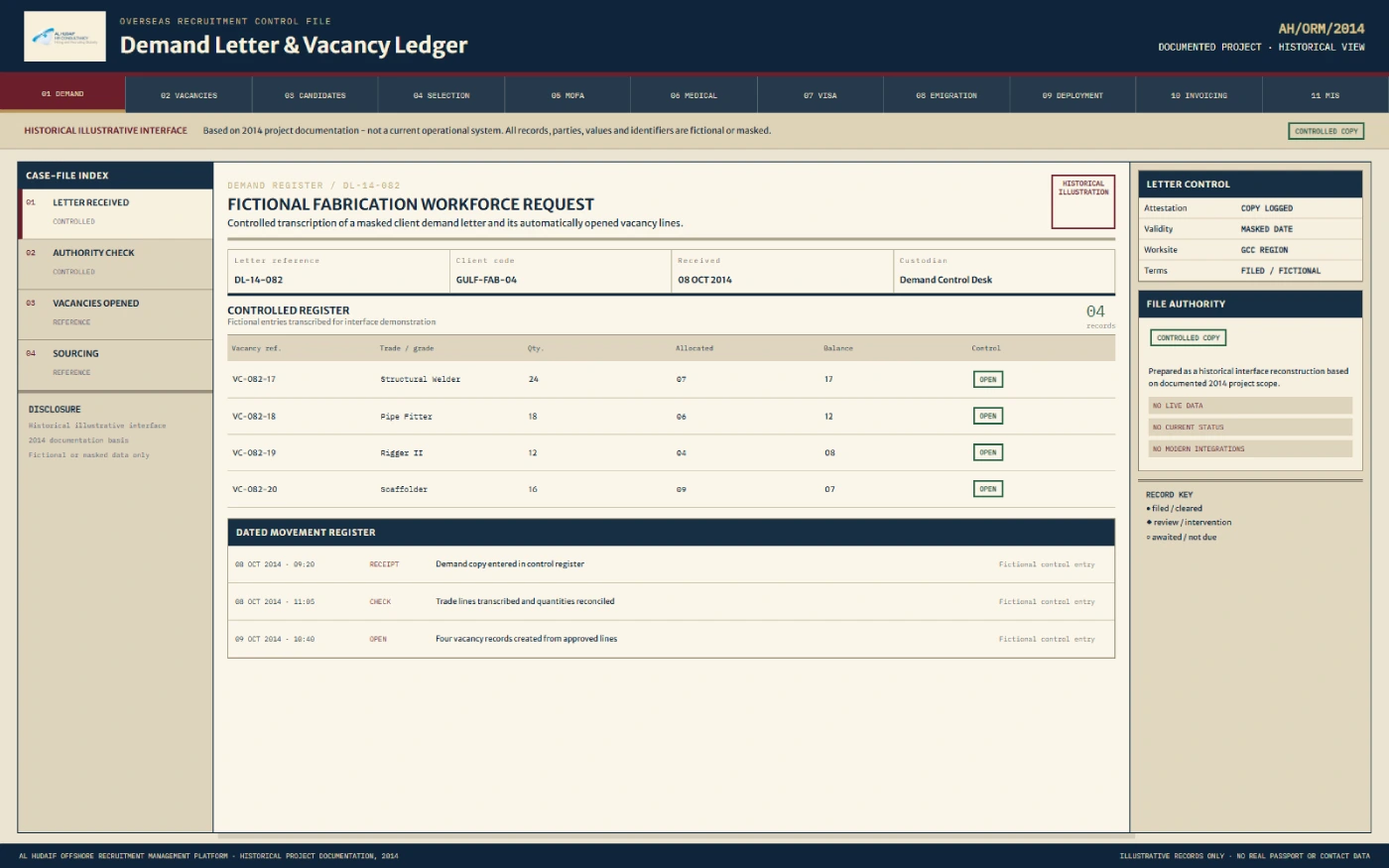
Record the offshore client's demand letter and convert its job requirements into trackable vacancies.


 India
IndiaAl Hudaif needed one web-based system to coordinate overseas recruitment from an offshore client's demand letter through candidate processing, visa and emigration stages, deployment, and final invoicing. The 2014 delivery tracked and coordinated this role-based workflow — it did not itself issue approvals, stamp visas, book flights, or process payments.
Al Hudaif
Overseas recruitment, immigration, visa processing and workforce deploymentAl Hudaif operated in an overseas recruitment environment connecting candidates and recruitment teams in India with offshore employers and offices in Gulf markets.
A single recruitment order could involve an offshore client, internal departments, agents or vendors, candidates, a consulate, immigration support, medical coordination, visa-stamping work, flight arrangements, accounts, and the receiving office.
The documented 2014 project covered recruitment connected with the UAE, Saudi Arabia, and the wider GCC. This case study describes the 2014 project, not Al Hudaif's current services, operations, systems, or market coverage.
Al Hudaif required a system that could follow each recruitment requirement from the first demand letter to the candidate's final deployment and the closing financial stages. The web application needed to create a connected operational record instead of treating sourcing, visa work, deployment and accounts as separate activities.
Record the offshore client's demand letter and convert its job requirements into trackable vacancies.
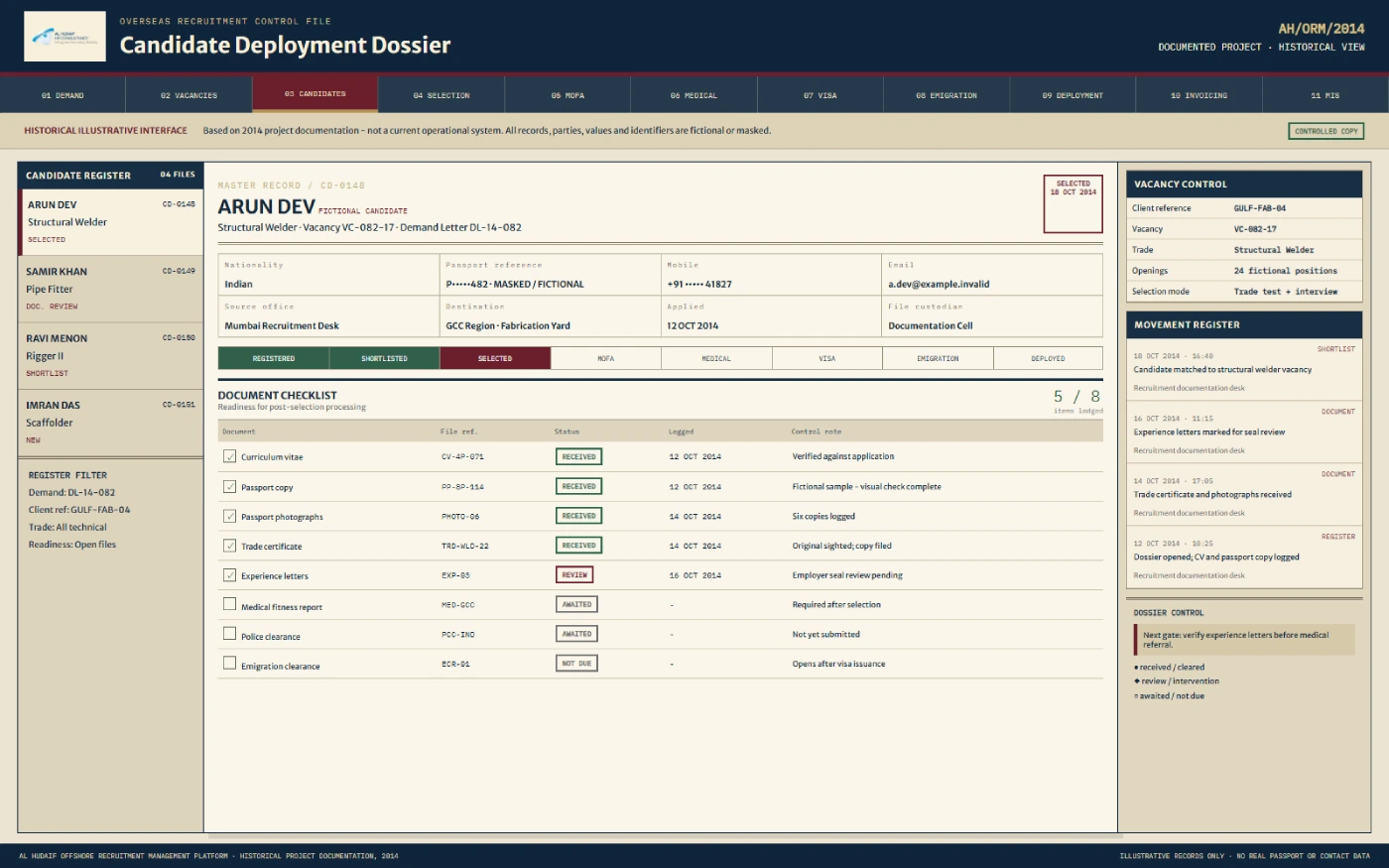
Store candidate details, CVs, passport information, and other documented recruitment records.
Show where each candidate stood across sourcing, selection, MOFA, medical, visa stamping, emigration, ticketing and deployment.
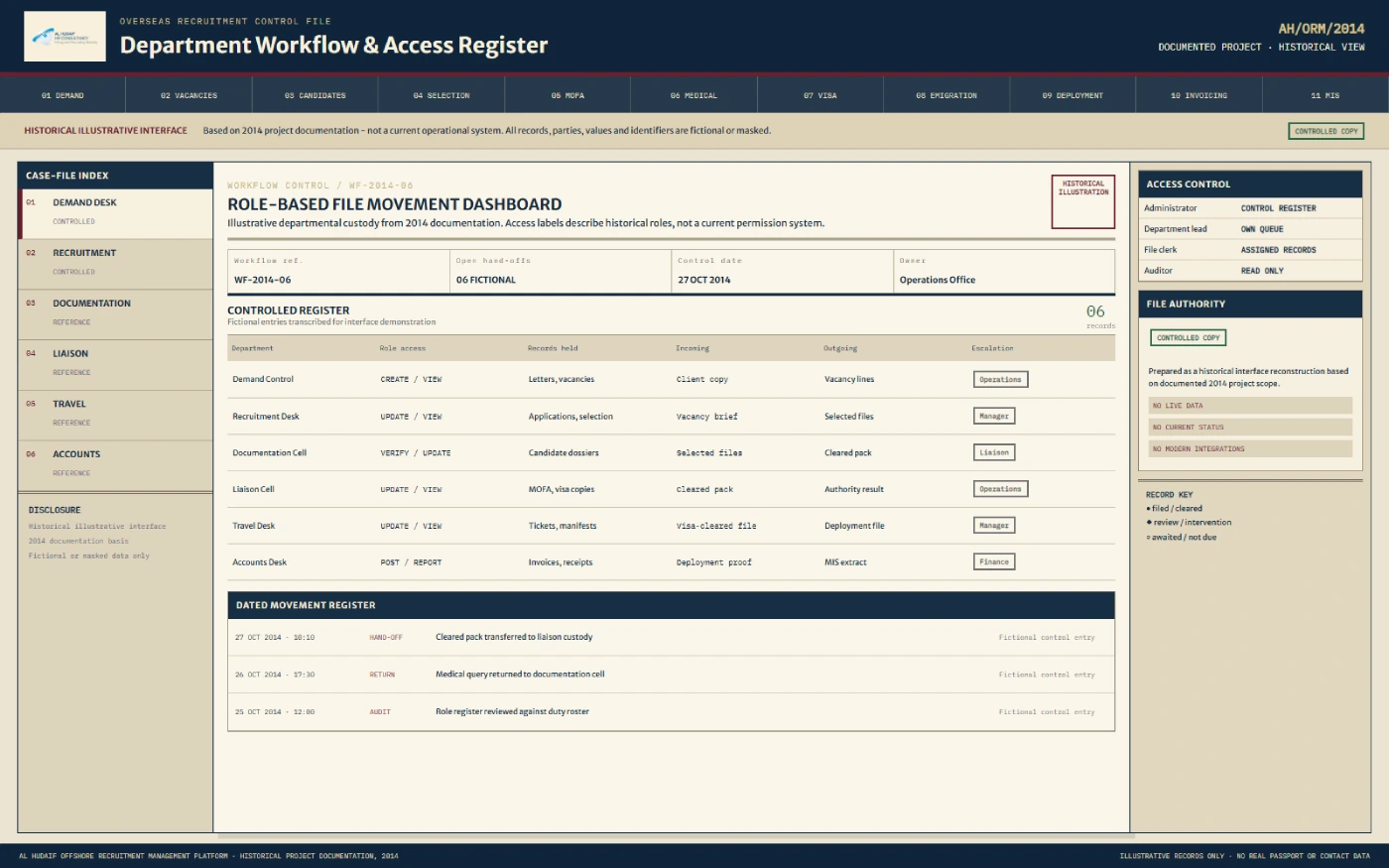
Give different users access according to their assigned role and rights.
Support vacancy emails, process alerts, payment reminders, and demand-completion notifications.
Track vendor invoices, vendor payments, passport release, client invoices, client payments, and outstanding amounts.
A web-based overseas recruitment management application was delivered for Al Hudaif. It organised master records, candidate documentation, recruitment stages, departmental responsibilities, alerts, reports, and financial follow-up around one demand-to-deployment workflow.
The application covered recruitment activity beginning with an offshore client's demand letter, supporting vacancy creation and distribution, candidate registration, document checklists, selection routes, visa and emigration coordination, deployment records, and invoicing follow-up. It also provided web-based CV storage and retrieval.
The system recorded and coordinated the documented workflow. External activities remained with the relevant client, agent, medical centre, airline, government portal, consulate, or authorised department.
The application used structured master records so teams could connect a demand, vacancy, candidate, department, process stage, and financial record without repeatedly entering the same core information.
Detailed Workflow
The system linked the documented stages of overseas recruitment into one candidate and vacancy pipeline — from the demand letter through processing to deployment and accounts.
The demand record could include the client, job category, job specification, and vacancy requirement. The software tracked the demand letter as an agency record; it did not validate or approve the underlying document.
Vacancy records were created from the recorded demand, connecting required workers with clients, job categories and later candidate submissions. "Automatic" refers to records created inside the application, not a job published to outside platforms.
Recruitment staff could communicate vacancy information to the relevant agent or vendor by email, supporting sourcing while keeping them connected to the demand.
Agents, vendors, candidates or internal staff provided candidate details, CV, passport information, recruitment documents, job category and the related demand or vacancy.
Candidate information moved into the candidate master, connecting personal and recruitment information with the vacancy, job, document checklist, selection status, visa-related stages, deployment and financial records.
Users recorded whether expected documents had been received or remained pending. This was a tracking function; the system did not authenticate passports, visas, certificates or government documents.
Three documented routes were supported: selection by the offshore client through Skype, an agency interview, or selection during a client visit to India. The application did not conduct or evaluate the interview.
The system maintained status and history so authorised departments could see completed, pending, rejected or applicable steps.
For the documented Saudi Arabia workflow, staff recorded MOFA number activity for the KSA site, related fees, and GCC-approved medical activity. The software did not generate a MOFA number, pay fees, or perform a medical examination.
Staff followed visa-stamping activity and the applicable ECR emigration check. Visa stamping and emigration clearance remained external, authorised procedures.
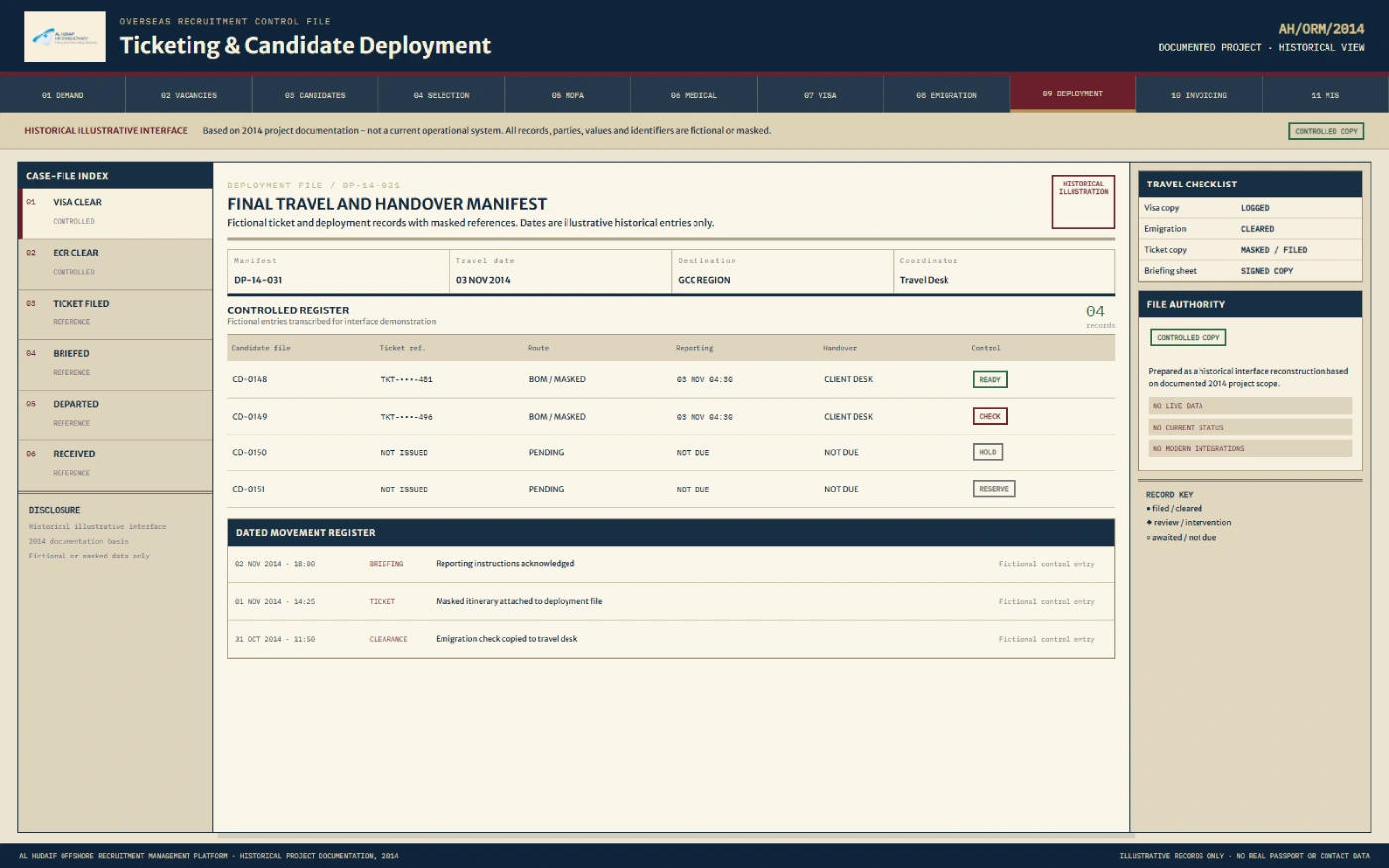
The team recorded flight-ticket and travel information against the candidate's process. The system did not search for, purchase, issue, or pay for airline tickets.
Deployment status supported demand-completion tracking, reporting, physical document-folder handling, and accounts activity.
The application supported the operational record connected with physical document folders, alongside web CV storage and retrieval — not complete document digitisation.
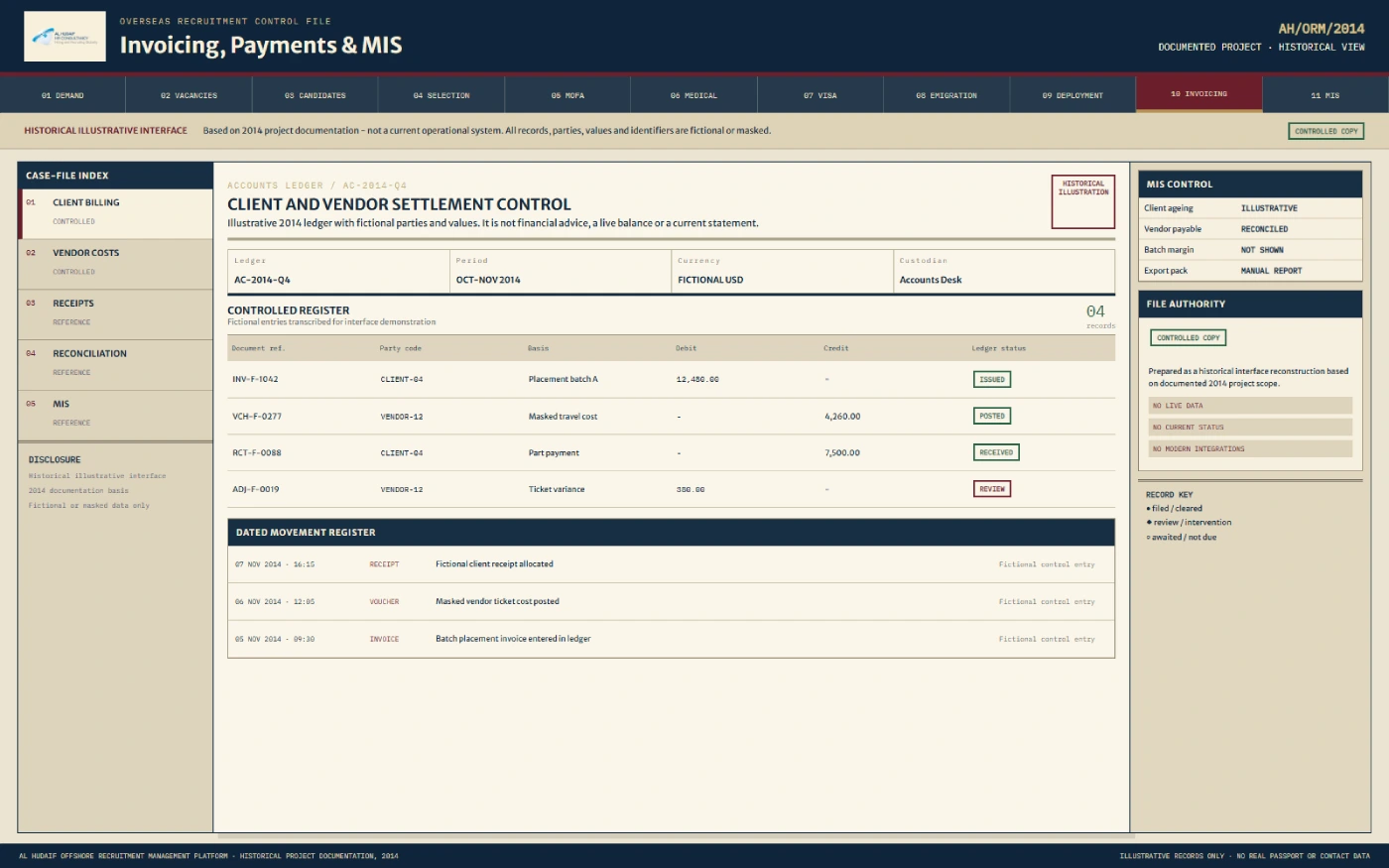
Accounts users tracked vendor invoices and payments, passport release, client invoices and payments, and outstanding amounts. The application did not transfer money or act as a payment gateway.
For selected candidates, the application provided a controlled record of the visa and emigration stages described in the 2014 workflow. Authorised users could follow MOFA number activity for Saudi recruitment, record applicable fees, note GCC-approved medical progress, update visa-stamping status, and track the ECR emigration check before travel and deployment.
MOFA and ECR are used here as documented workflow terms connected with Saudi recruitment and the applicable emigration-check stage. The application tracked and coordinated these activities — it did not issue government approvals, certify medical fitness, stamp visas, or grant emigration clearance. This historical case study is not legal, immigration, recruitment, or regulatory advice.
The application supported multiple user levels so participants could work with the parts of the recruitment process assigned to them: Administrator, Recruitment, Sourcing, MOFA, Visa Stamping, Emigration Handling, Accounts, Candidate, Agent, and the KSA office. Access was restricted according to the rights assigned to each user level, supporting operational separation between departments and external participants.
The accounts workflow extended beyond candidate deployment. On the vendor side, accounts users tracked the vendor invoice, amount payable, payment status, outstanding vendor amount, and the passport-release stage after the relevant payment process. On the client side, the application supported the client invoice, client payment, outstanding client amount, payment reminders, and linked financial reports. The system recorded invoices, payments and outstanding amounts — it did not process payments inside the application.
Pain Points & Fixes
These features cover the recruitment workflow; they are not measured improvements.
Tap to explore each pain point
Demand information needed to be carried into sourcing activity.
The system connected a recorded demand letter with automatically created vacancy records.
Agents and vendors needed the relevant vacancy details.
Vacancy information could be emailed to the selected agent or vendor.
Candidate details and documents passed through several stages.
A candidate master linked CV, passport information, documents, job, vacancy and process status.
Different assignments used different selection methods.
The candidate record could show selection by client Skype interview, agency interview, or a client visit to India.
Several departments handled later candidate stages.
Role-based access and process stages supported handovers between sourcing, recruitment, MOFA, visa stamping, emigration and accounts.
Teams needed visibility into pending and completed activity.
Candidate status, history, stage reports, alerts and process-completion notifications provided a shared operational record.
Physical candidate files remained part of the work.
The application connected process records with physical document-folder handling while supporting web CV storage and retrieval.
Pain Points & Fixes
Presented as workflow coverage, not as a measured improvement.
Demand information needed to be carried into sourcing activity.
The system connected a recorded demand letter with automatically created vacancy records.
The documented 2014 delivery covered the operational path needed to follow overseas recruitment from client demand to financial closure, presented here as workflow coverage rather than a measured result.
Eight capabilities from the documented 2014 delivery.
4 features
Recorded an offshore client's demand and created the related vacancy records for sourcing and candidate processing.
Maintained a connected candidate record covering vacancy, job, documents, selection, stages, status and deployment.
Allowed authorised users to store and retrieve candidate CVs through the web application.
Helped teams record whether documents expected for a candidate had been received or remained pending.
4 features
Provided restricted access based on assigned rights for administrators, departments, candidates, agents and the KSA office.
Supported an SMS gateway and automatic SMS or email alerts for documented process-completion events.
Supported outstanding-payment reminders and notifications connected with completion of a recruitment demand.
Provided operational and financial reporting across candidates, agents, clients, visas, jobs, deployment, rejection, fees, invoices and payments.
The application included extensive reporting for teams responsible for recruitment operations, departmental processing, management review and accounts follow-up.
The documented workflow may be relevant as a historical example for organisations that need to coordinate candidates, documents, recruitment stages, deployment and accounts across multiple teams. This describes adjacent workflow fit, not a confirmed Al Hudaif customer or industry.
Historical technology record — not a statement of a current or modernised system.
This page describes a completed software delivery documented on 10 January 2014. It does not confirm that the application remains in operation, that the workflow or technology stack remains unchanged, that Al Hudaif currently works in the same countries, or that a modern, cloud, mobile or API version exists. MOFA and ECR are documented workflow terms, and nothing on this page is legal or regulatory advice. All recreated screens use fictional data.
We can help you map a recruitment process covering employer demand, candidate records, documents, departmental stages, deployment tracking, and accounts follow-up.
Discuss Your Recruitment WorkflowOverseas recruitment management software helps a recruitment business organise employer demands, vacancies, candidates, documents, selection stages, visa-related coordination, deployment, and accounts follow-up in one working system. The exact workflow depends on the agency, destination country, and applicable external procedures.
The completed 2014 delivery covered the workflow from an offshore client's demand letter through vacancy creation, agent communication, candidate and CV records, document checklists, selection, MOFA and medical coordination, visa stamping, emigration checks, ticket information, deployment, and vendor and client invoicing.
No. The application tracked and coordinated the documented visa, MOFA, medical, visa-stamping, and emigration stages. Government approvals, external portal activity, medical examinations, visa stamping, and authorised emigration procedures remained outside the software.
The system supported three documented selection routes: selection by the offshore client through Skype, an interview conducted by the recruitment agency, or selection during a client visit to India. It recorded the route and candidate status but did not conduct or assess the interview.
The application recorded vendor invoices, vendor payments, client invoices, client payments, reminders, and outstanding amounts. It also tracked the documented passport-release stage. It did not process payments or release physical passports through the application.
The documented 2014 technology stack included ASP.NET 2.0, HTML, JavaScript, XML, and Microsoft SQL Server 2005/2008. This is a historical record and does not confirm the client's current software or technology stack.


